About this app
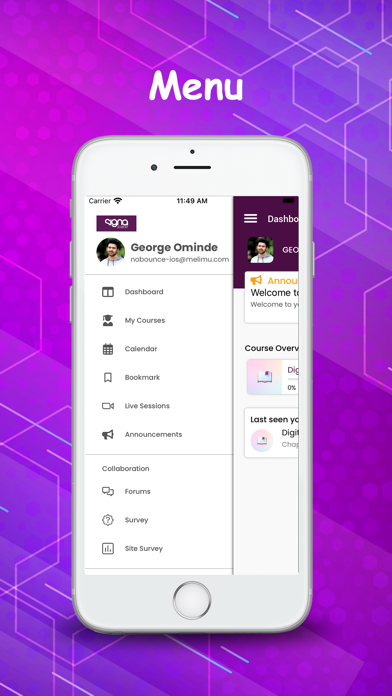
Students can use the mobile application anytime anywhere. It works 100% offline and you need to connect and sync once in a while a) Collaborate with fellow students & teacher through forums, messages and chat. b) Write and share notes, send video and audio notes. c) Receive notes, messages and feedback from teachers in audio and video format. d) Submit assignments & quizzes even when you don't have internet and sync them later.
Latest release
What’s New
1. Grade & Comment Functionality for Teachers Teachers can now assign grades and provide feedback on submitted assignments directly from the app. 2. Create Video Activities (Instructor Role) Instructors can now create video-based activities directly within the app. 3. Update Video Activities Support added for editing/updating existing video activities from the app. 4. Control Video Activity Visibility (Teacher Role) Teachers can now manage the visibility of video activities—choose to show or hide them as needed. 5. Draw-Type Assignment Support Learners can now submit assignments by drawing/sketching directly in the app. 6. Redesigned Assignment Screen (Learner View) Enhanced UI for the assignment screen to improve clarity and usability for learners. 7. Portuguese (Portugal) Language Support The app now supports Portuguese (Portugal), expanding accessibility for more users. 8. Dynamic Language File Handling Language files are now managed through the server, allowing for easier updates and localization. 9. Improved User Experience Multiple UX enhancements across the app for smoother navigation and interaction. 10. Bug Fixes & Performance Improvements Numerous bugs resolved and general stability improvements made.
Audience growth
Ratings growth
Baseline captured. Growth appears after the crawler observes a changed rating count.
Momentum comes from crawler snapshots for the tracked storefront. “Viral growth signal” means unusually fast recent rating gains; it is an indicator, not download data.
Price tracking
Price intelligence
First snapshot captured. The trend line starts after the next crawler price observation.
- First observed Aug 21, 2026 · 12:43 AM Free
Screenshots