About this app
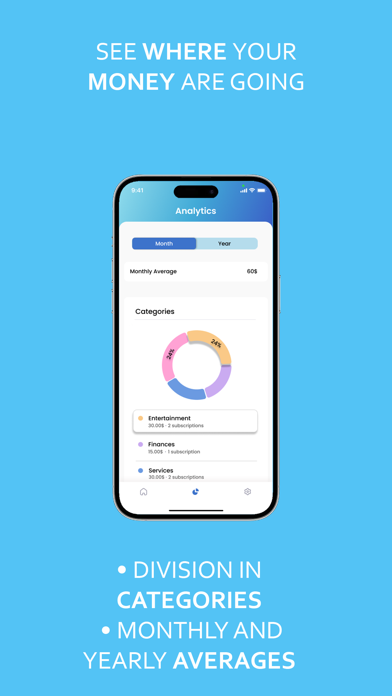
Tired of surprise subscription charges? Stop wasting money on forgotten subscriptions! Subscribed is your personal subscription watchdog, designed to save you money and eliminate the headache of managing multiple subscriptions. Never miss a payment or overpay for a service you no longer use again. Why You Need Subscribed - Effortless Tracking: Keep track of all your subscriptions in one convenient place. - Payment Reminders: Get notified before upcoming renewals, so you can make informed decisions. - Visualize Your Spending: See exactly where your money goes with insightful graphs and statistics. - Uncover Hidden Costs: Identify forgotten subscriptions and potential savings. How Subscribed Works 1. Easy Setup: Add subscriptions in an instant 2. Personalized Dashboard: Get a clear overview of your subscription spending, upcoming payments, and renewal dates. 3. Smart Insights: Track spending trends, compare subscription costs, and pinpoint areas where you can save. 4. Proactive Alerts: Receive timely reminders before subscriptions auto-renew, putting you in charge. Features That Save You Money - Unlimited Subscription Tracking: Manage all your subscriptions, big or small. - Customizable Categories: Organize subscriptions by type (finance, health and entertainment) for easy budgeting. - Multi-Currency Support: Track subscriptions in your local currency, perfect for international users. Subscribed: Your subscription savings sidekick. Terms and conditions: https://www.apple.com/legal/internet-services/itunes/dev/stdeula/ Privacy policy: https://www.montinovo.com/privacysubscribed/
Latest release
What’s New
• Turn off automatic renewal to archive a subscription when it expires. • Import and export your subscriptions in CSV format. • Updated service catalog with new images, suggested prices, and improved icon handling. • Redesigned Settings and Subscribed Plus screens, including a clearer premium app icon picker. • Improved iCloud backup reliability and app launch performance. • Added update notifications and several general fixes.
Audience growth
Ratings growth
Baseline captured. Growth appears after the crawler observes a changed rating count.
Momentum comes from crawler snapshots for the tracked storefront. “Viral growth signal” means unusually fast recent rating gains; it is an indicator, not download data.
Price tracking
Price intelligence
First snapshot captured. The trend line starts after the next crawler price observation.
- First observed Sep 13, 2026 · 12:07 AM Free
Screenshots