About this app
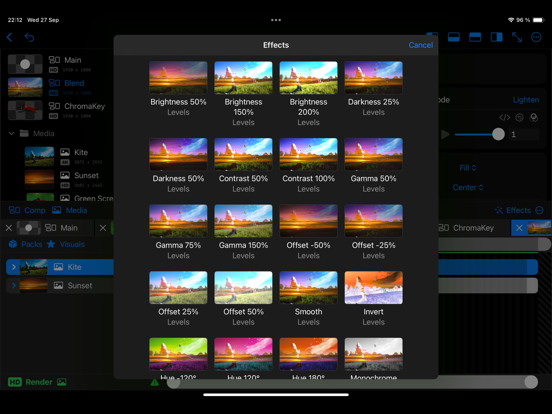
Render compositions with layered videos, images, audio, visuals and effects. Import and export 3D spatial photos and video. Import media (images, videos, GIFs, SVGs, image sequences and RAW footage) from Photos and Files. A sequence is defined by a folder of images, each image is a frame of a video. Visuals: shapes (rectangle, circle, capsule, star, polygon, arc, line) and solids (color, noise, gradient). Create an adjustment layer to apply effects to all underlying layers. Effects: levels (brightness, contrast, invert), color shift (hue, saturation), blur, transform, kaleidoscope, corner pin, chroma key (green screen). Effect packs: funny mirror, glitch, CRT, smoke, vignette. Mask, displace or luma blur a layer with another layer. Blending modes: add, subtract, multiply, divide, screen, lighten, darken, minimum, maximum, gamma, power and difference. Timeline features: - Snapping of layers while dragging. - Keyframe properties with bezier curves. - Motion blur with blending modes. - Pre-compose layers. - Split layers. - Time remap. Zoom in to pixel level to inspect your graphics. Write expressions for any property. Import and export LUTs in the .cube format. There are rendered previews of visuals, blending modes, effects and samples. Samples is a way to visualize what the composition will look like for a property at different values. The render engine caches all played frames, so re-playing is quicker. Caches frames are indicated by a green bar in the top of the timeline. Render out a still frame as image, render a region or the full composition as a video or image sequence. Projects are saved in Files and media is bundled in the project file. XDR display support. Create graphics in high color depth (16bit & 32bit). Export video in h264 and ProRes on supported devices. Audio is supported.
Latest release
What’s New
Updated Design
Audience growth
Ratings growth
Baseline captured. Growth appears after the crawler observes a changed rating count.
Momentum comes from crawler snapshots for the tracked storefront. “Viral growth signal” means unusually fast recent rating gains; it is an indicator, not download data.
Price tracking
Price intelligence
- First observed Aug 8, 2026 · 1:48 AM Free
Screenshots