About this app
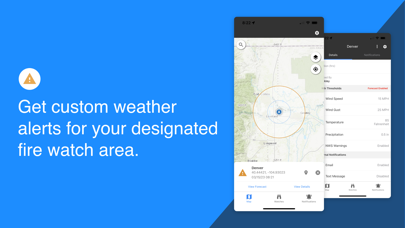
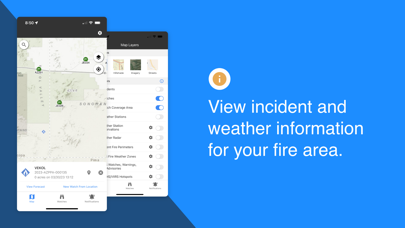
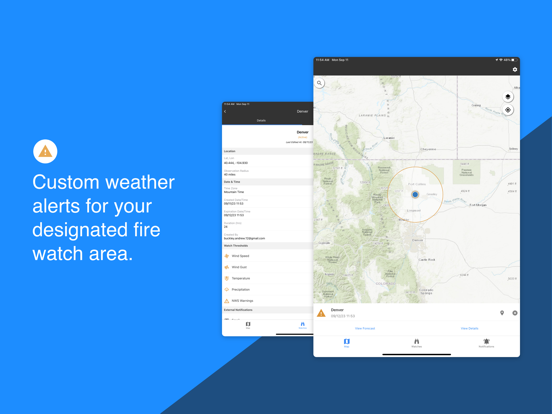
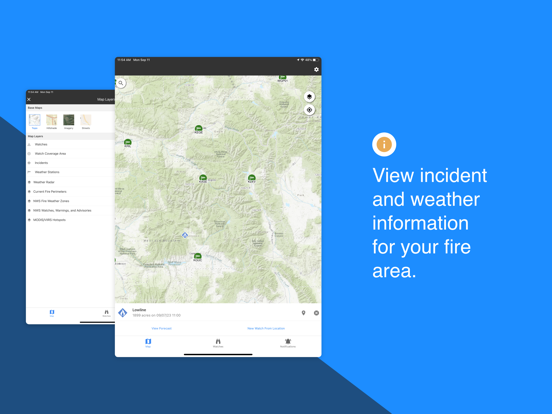
Many firefighters have been entrapped due to rapid changes in weather causing unexpected fire behavior. These weather events are often predictable using local weather measurements and forecasts, but on-the-ground firefighters have historically lacked access to this information. The Fire Weather Alert System provides this access. It monitors nearby weather observations and forecasts to warn firefighters of dangerous incoming weather and provides convenient map-based access to fire-specific weather information (RAWS, NWS zone fire weather forecasts, NEXRAD radar data, etc.). GET CUSTOM WEATHER ALERTS • Get custom weather alerts when wind speed, wind gust, relative humidity, air temperature, and precipitation exceed your set thresholds. • RAWS/ASOS stations and short-term forecasts (HRRR model) are monitored. • Designate the watch area for your fire. • Alerts broadcast using in-app messages, text, and/or email. VIEW RAWS DATA • Select weather stations from a map and view data in graph and tabular form. • Access RAWS, iRAWS, ASOS, and other station networks. VIEW SATELLITE HOTSPOTS • Display VIIRS and MODIS hotspots on the map. VIEW INCIDENT LOCATIONS AND FIRE PERIMETERS • View incident name, type, size, and most recent perimeter (including smaller IA fires). VIEW NWS WATCHES, WARNINGS AND ADVISORIES • See National Weather Service Active Alerts on the map and read the text. • Monitor Red Flag Warnings, Fire Weather Watches, Wind Advisories, Severe Thunderstorm Warnings, etc. ACCESS ZONE FIRE WEATHER FORECASTS • Access and read your local fire weather forecast. • See fire weather zone names and boundaries on the map. MONITOR APPROACHING STORMS WITH NEXRAD RADAR • Display animated radar data on the map.
Latest release
What’s New
Fixes included in this release: • Incident layer now refreshing automatically • Basemap caching corrected • Caching user's map location • Improvements to Lightning Alerts • Improvements to WW&A • Intermittent log out message when switching tabs
Audience growth
Ratings growth
Baseline captured. Growth appears after the crawler observes a changed rating count.
Momentum comes from crawler snapshots for the tracked storefront. “Viral growth signal” means unusually fast recent rating gains; it is an indicator, not download data.
Price tracking
Price intelligence
First snapshot captured. The trend line starts after the next crawler price observation.
- First observed Aug 19, 2026 · 6:05 AM Free
Screenshots