About this app
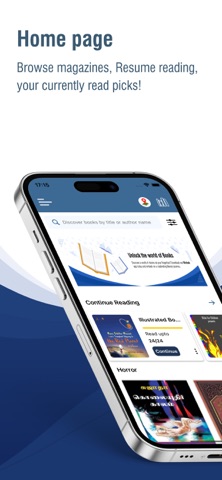
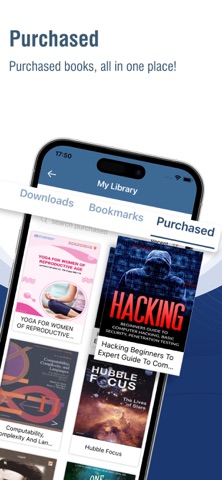
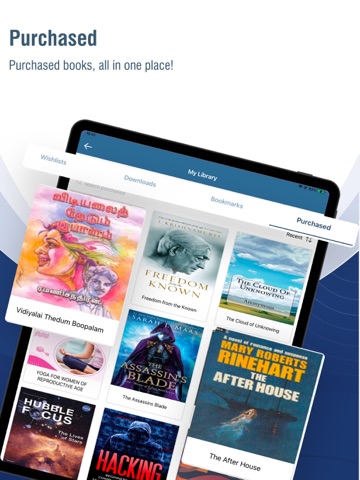
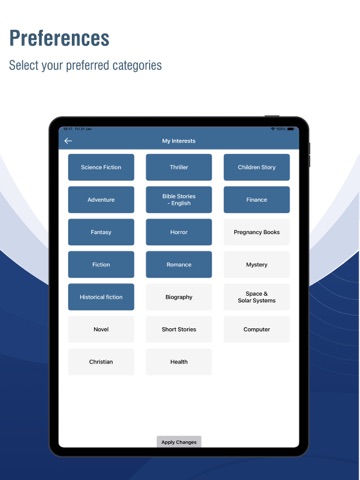
Minbuk is an online service for accessing books for reading purposes, and that's free! Any user interested in reading books on the go can access Minbuk, and specifically, the app also works offline, where the users can read the downloaded version of eBooks within the app itself. The books available here are full versions in different languages and are covered by varied authors in the literature world. The app doesn't leave the night or bedtime readers, where one can go through different genres of novels considered for an interesting reading process. Books would also include where categories like Cinema, Sports, Technology, Health, and more come into the queue. The security is also built-in high so that the reader can enter authorized access to their reading list of books, and the persons who want to preview the books can enter into the "Guest Login" and become a member of Minbuk later. To experience the app's premium features, one needs to register as a member with a preferred username and well-guided password creation at zero cost. The Minbuk App includes several features as part of it as follows: New Recent Books – It presents a grid list of newly added books for the reading process. My Reading – The list of books opened for reading, and yet to resume finishing it. Sort Book-List – Filter the available books based on Country, Language, and lastly by Age. Access – The app is under a free usage policy; you need to register an account. Guest user – Have access to the books in the preview mode. Filtered Departments – Get used to seeing the interested section of the books category. Dark Mode – Change the normal light to a night mode for reading books. User Authentication – Get personalized pages of the book list after login. Offline – Get reading the full book offline in the Minbuk app. Wish List – Mark the interested books on the wish list to read shortly. Suggestion – Upon the reading pattern, suggest some books based on Genre. The book collection put on display here in the Minbuk app is available for individual purchase. Once a book is purchased, it belongs to the registered account of Minbuk, and the purchased books are available on smartphones and tablets. Get a glimpse of what's available for reading and pick the right one to read the interested topics here in Minbuk App, anywhere.
Latest release
What’s New
-Bug fixes and performance improvements -Profile Screen UI updated
Audience growth
Ratings growth
Baseline captured. Growth appears after the crawler observes a changed rating count.
Momentum comes from crawler snapshots for the tracked storefront. “Viral growth signal” means unusually fast recent rating gains; it is an indicator, not download data.
Price tracking
Price intelligence
First snapshot captured. The trend line starts after the next crawler price observation.
- First observed Aug 12, 2026 · 9:49 PM Free
Screenshots