About this app
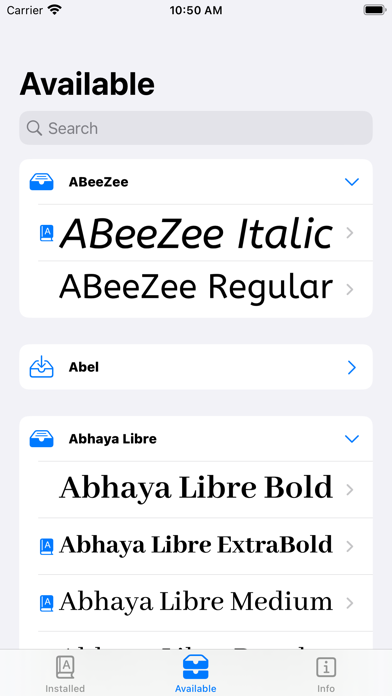
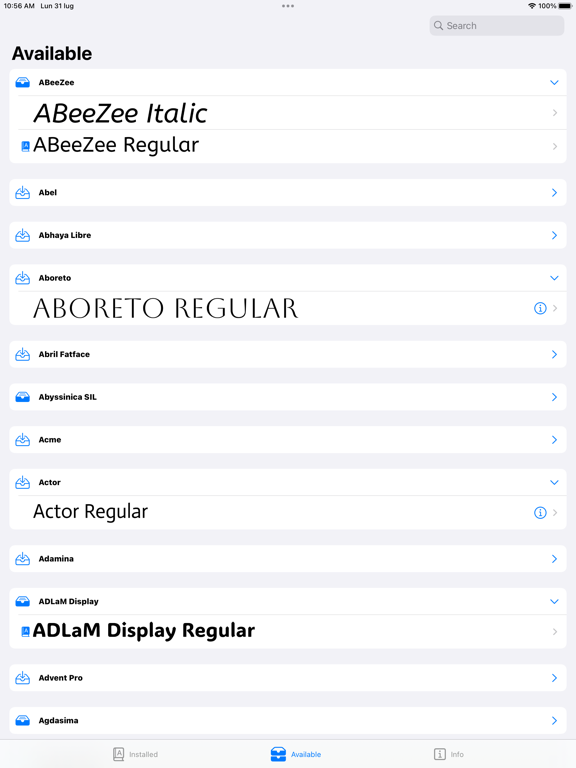
Explore comprehensive details about the fonts installed on your device and discover over 2500 new fonts available for installation. Import, manage, and update your own TTF and OTF fonts effortlessly. Simply import your font files and enjoy easy installation on your device, making your custom fonts available for all applications that support them. Key features include: - Font Preview: View a live preview of each font with an overlay of key metrics. - Detailed Metrics: Access essential metrics such as Ascender, Descender, Italic Angle, and more. - Font Attributes: Get information on the font's Version, Family, PostScript Name, Supported Languages, and additional attributes. - Glyph Overview: Browse a complete list of all font glyphs, with detailed information. - Classes and Traits: Review the various classes and traits associated with each font. - Character Set: Check the character sets supported by each font, including letters, numbers, and symbols. - Variable Font Support: - View a comprehensive list of all supported variations, including the hidden ones. - Inspect the list of variations applied to the font. - You can inspect the font variations, change their values, and preview the results. You can even modify hidden variations. - Typographic Features: - View and inspect the features available in each font. - Enable features individually to see their effects on the text. - The app supports Open Type and Apple Advanced Typography features. - Swipe through the features to view more information. - Write with Fonts: Preview fonts directly without the need for installation. - Font Management: - Easily install or uninstall individual fonts or entire font families at once. - Import and install your TTF and OTF fonts using configuration profiles. Terms of Use: https://www.apple.com/legal/internet-services/itunes/dev/stdeula/ Privacy policy: https://artandsoulperiod.wordpress.com/fonts-manager-by-as-privacy-policy
Latest release
What’s New
New Feature: Font Doctor, a utility designed to resolve issues with installed fonts. Update: Updated existing fonts and added new ones. Update: Compatibility with the latest iOS version. Update: You can now swipe through the features to view more information. Update: Displays additional glyph information, including UTF-16 surrogates, UTF-8 representation, visible representation, canonical decomposition (NFD), compatibility decomposition (NFKD), and grapheme cluster decomposition (visual units). Update: Supported languages, unrecognized languages declared as supported by the font are now displayed in a separate list. Improved the user interface. Performance improvements and corrections.
Audience growth
Ratings growth
Baseline captured. Growth appears after the crawler observes a changed rating count.
Momentum comes from crawler snapshots for the tracked storefront. “Viral growth signal” means unusually fast recent rating gains; it is an indicator, not download data.
Price tracking
Price intelligence
First snapshot captured. The trend line starts after the next crawler price observation.
- First observed Aug 11, 2026 · 6:35 PM Free
Screenshots