About this app
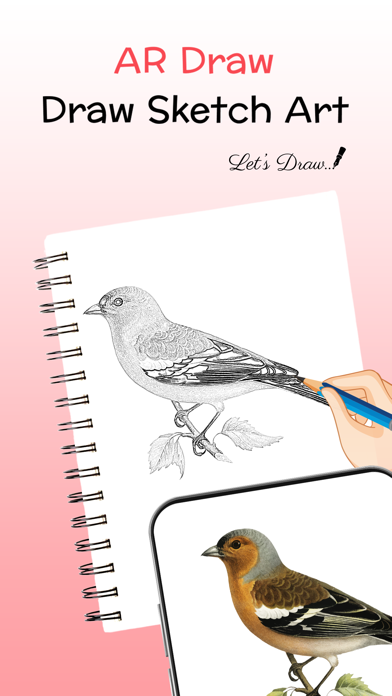
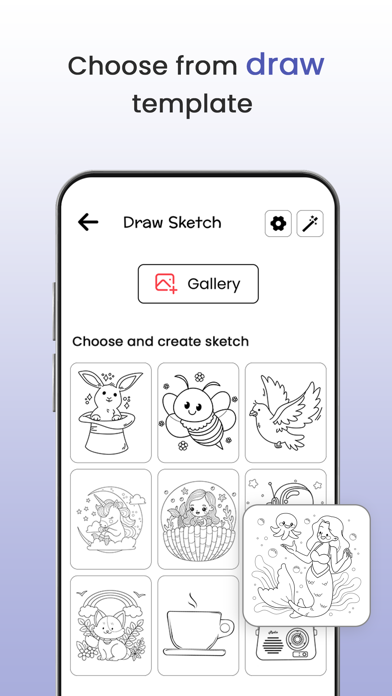
AR Draw: Draw Sketch Art is a useful tool that allows you to start learning sketching, drawing, and painting using just a smart device. This AR Draw: Draw Sketch Art app is a unique tool to easily start learning drawing using the AR Drawing method. The app comes with an attractive user interface design to easily start learning drawing and sketching. AR Drawing app, also known as an Augmented Reality drawing allows you to create artwork using the augmented reality method in which we provide various collections of objects to start tracing line by line using the AR Drawing method. AR Draw: Draw Sketch Art app with you can unleash your imagination by placing virtual objects, shapes, and drawings in any part of your chosen images. For example, you can select any object from the variety of collections or also from the gallery to draw like real sketch artwork. AR Draw: Draw Sketch Art app offer a wide range of drawing tools and features to enhance your drawing and sketching skills. AR Draw: Draw Sketch Art app includes different object styles and opacity settings, and even allows you to shoot video clips while you are trying to trace any objects. AR Draw: Draw Sketch Art allows a tracing process of converting a photograph or piece of art into line work. You trace the lines you see on your tracing paper over it. So, sketch it and trace it. App with anyone can learn to draw or trace using this AR Draw: Draw Sketch Art. How it Works? - Choose an image of your choosing from the app gallery or upload a photo from the gallery - Use a tripod or glass to hold your phone in the same place while you draw - After that, you will see a transparent version of that image on the camera's screen, and you must place drawing paper to trace and sketch. - You have the choice to set opacity according to your needs or also set a flashlight on the screen - Start Capturing the video of your drawing - Any image can be made into a tracing image by being selected FEATURES - One of the best AR Draw tools to adorn your art easily - Start to learning sketch art by using this app - Trace any images with the help of the camera - Draw on paper by opening the camera - Select any image provided as a sample and draw on your sketchbook - Select any image from the gallery and convert it tracing image - Easy to create and learn the art by using this app - Attractive User Interface design For more information : Privacy Policy : http://phawkinfotech.com/privacy_policy.html Terms of Use : http://phawkinfotech.com/terms_of_use.html
Latest release
What’s New
Fix Bugs.
Audience growth
Ratings growth
Baseline captured. Growth appears after the crawler observes a changed rating count.
Momentum comes from crawler snapshots for the tracked storefront. “Viral growth signal” means unusually fast recent rating gains; it is an indicator, not download data.
Price tracking
Price intelligence
First snapshot captured. The trend line starts after the next crawler price observation.
- First observed Aug 14, 2026 · 12:52 PM Free
Screenshots