About this app
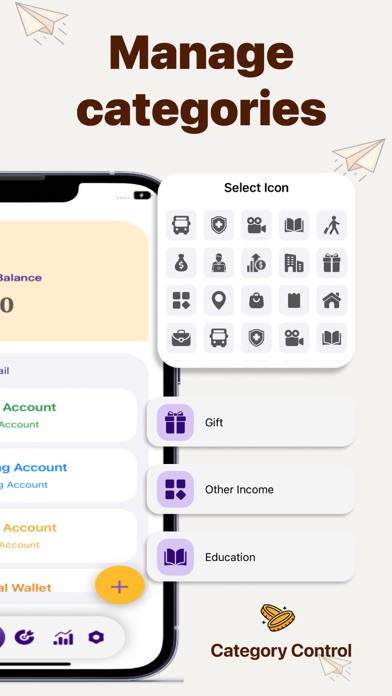
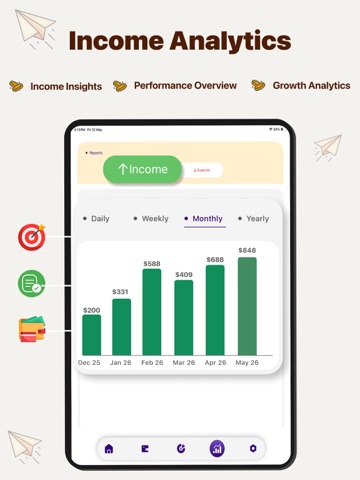
Simplify your finances and achieve your savings goals effortlessly with this money manager! Expense Manager is a simple and powerful personal budget app designed to help you track expenses, manage budgets, and monitor income—all in one place. Whether you want to save for a trip, manage your daily expenses, budget your education expenses, or organize your finances, this bill organizer app makes it easy and reliable. Add expenses and income on the go in money app, easily manage your daily transactions, and take control of your finances anytime, anywhere. Whether it's groceries, utilities, trips, or monthly bills, this expense manager helps you plan better and spend smarter. Key Features: - Instantly track your daily expenses and income in just a few taps. - Create a complete budget for groceries, utilities, education, travel, and other categories. - Monitor credit card spending and limits in one place. - Review your weekly and monthly spending reports with clear graphs. - Easily Set savings goals and track your progress over time. - Manage multiple bank account balances and all transactions at once. - Export your performance reports in PDF format. - Easily track spending in multiple currencies using bill organizer. Managing your finances doesn't have to be complicated with a budget app. Expense Manager helps you turn everyday money management into a simple, stress-free experience. Get instant insight into your spending patterns, find areas where you can improve, and take better financial steps without spending hours calculating. Why Choose an Expense Manager? Expense Manager is especially designed for anyone who wants a clear overview of their money. From students to families, the money app helps you stay organized, reduce unnecessary spending, and build better savings habits. Note: STEP 1 - Payment will be charged to your iTunes account at confirmation of purchase. Your subscription will automatically renew unless auto-renew is turned off at least 24-hours before the end of the current subscription period. STEP 2 - Your account will be charged for renewal within 24-hours prior to the end of the current subscription period. Automatic renewals will cost the same price you were originally charged for the subscription. STEP 3 - You can manage your subscriptions and turn off auto-renewal by going to your Account Settings on the App Store after purchase. Read our terms of service and Privacy Policy for more information. Terms of Use https://tstechnology.org/terms.html Privacy Policy https://tstechnology.org/privacy.html
Latest release
What’s New
Pocket Manager • Performance improvements • Bug fixes and performance improvements
Audience growth
Ratings growth
Baseline captured. Growth appears after the crawler observes a changed rating count.
Momentum comes from crawler snapshots for the tracked storefront. “Viral growth signal” means unusually fast recent rating gains; it is an indicator, not download data.
Price tracking
Price intelligence
- First observed Aug 8, 2026 · 2:47 PM Free
Screenshots