About this app
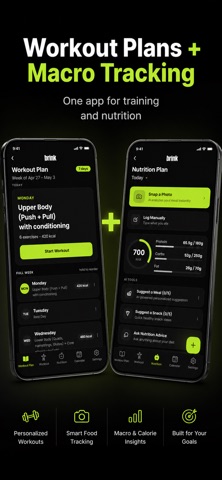
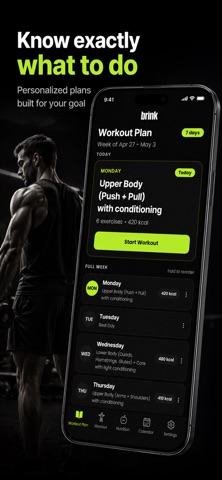
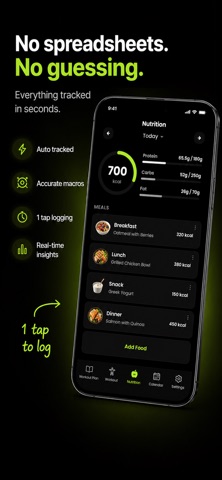
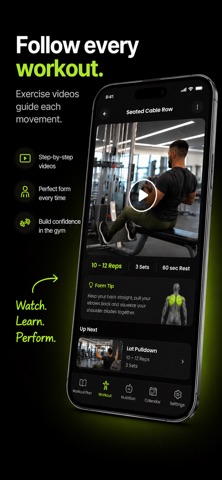
Brink: AI Workout Planner, Fitness Tracker & Photo Calorie Counter Brink helps you create workout plans, track gym workouts, and log meals with photo nutrition tracking, all in one simple fitness app. Whether your goal is to build muscle, lose weight, get stronger, or stay consistent, Brink gives you a clear plan, easy workout tracking, calorie and macro estimates, and progress tools that help you keep going. No complicated setup. No guessing what to do next. Just a smarter way to train, eat, and stay consistent. What You Can Do With Brink Get a Personalized Workout Plan Tell Brink your goals, experience level, schedule, and available equipment. Brink creates a workout plan built around you, whether you train at the gym, at home, or with limited equipment. Use Brink to build muscle, lose weight, get stronger, improve fitness, create a gym routine, or stay consistent. Your plan can be customized as your goals, schedule, or experience level changes. Track Your Workouts Follow your workout and log exercises, sets, reps, weight, and workout time. Whether you are following a strength plan, gym workout routine, or general fitness program, Brink helps you stay organized and see your progress. Follow Exercise Walkthroughs Not sure how to do an exercise? Brink includes exercise guidance to help you feel more confident during your workouts. Track Food From a Photo Logging food should not take forever. With Brink's photo nutrition tracking, you can take a picture of your meal and get an estimate of calories, protein, carbs, and fat. Use Brink as your calorie tracker, macro tracker, and meal tracker to support your fitness goals. Get Macro Recommendations Brink can recommend daily nutrition targets based on your body, workouts, and goals, whether you are trying to lose fat, build muscle, or maintain progress. See Your Progress View your workout history, nutrition logs, and consistency over time. Staying motivated is easier when you can see the work adding up. Why Brink? Brink is built for people who want fitness to feel less confusing. You get the structure of a workout plan, the convenience of a fitness tracker, and the simplicity of photo-based nutrition tracking in one app. Brink can help you: Create AI workout plans Track gym workouts Log sets, reps, and weights Track calories and macros Estimate nutrition from food photos Build muscle Lose weight Stay consistent Monitor progress Whether you are new to fitness or already train regularly, Brink helps you know what to do next. Common Questions Can Brink create a workout plan for me? Yes. Brink can create a personalized workout plan based on your goals, fitness level, schedule, and available equipment. Is Brink good for beginners? Yes. Brink is simple enough for beginners while still being useful for people who already work out. Can I use Brink as a gym workout tracker? Yes. Brink lets you follow workouts, track exercises, log sets and reps, record weights, and monitor progress. Can Brink track calories from a food photo? Yes. Take a photo of your food and Brink helps estimate calories, protein, carbs, and fat. Can Brink help me build muscle or lose weight? Yes. Brink can create workout plans and nutrition targets based on goals like building muscle, losing weight, getting stronger, or improving fitness. Can I customize my workout plan? Yes. Brink workout plans are customizable as your schedule, equipment, or goals change. Subscription Information Some features require a subscription to access. Subscriptions are available as in-app purchases and are billed through your Apple ID account. EULA: https://www.apple.com/legal/internet-services/itunes/dev/stdeula/
Latest release
What’s New
Widgets — track your workouts from your Home & Lock Screen Live Activities — follow your active set from the Dynamic Island Exercise videos to guide every movement
Audience growth
Ratings growth
Baseline captured. Growth appears after the crawler observes a changed rating count.
Momentum comes from crawler snapshots for the tracked storefront. “Viral growth signal” means unusually fast recent rating gains; it is an indicator, not download data.
Price tracking
Price intelligence
- First observed Aug 1, 2026 · 1:29 PM Free
Screenshots