About this app
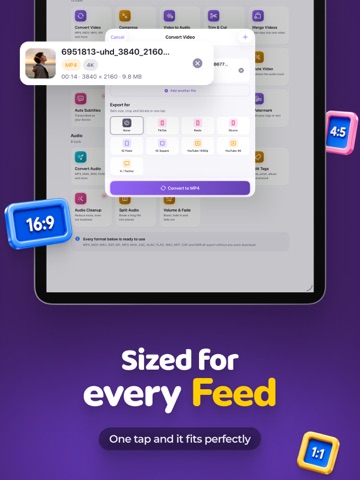
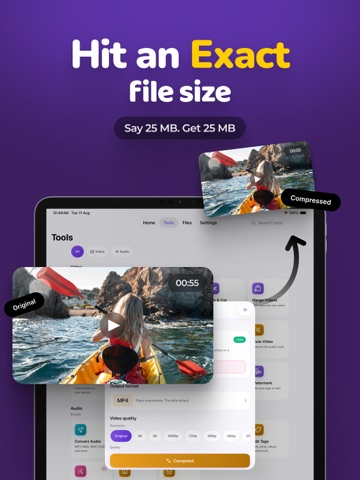
This app is made to quickly convert videos to all possible video formats or audio formats! The app has all the possible items for video editing You can convert video in this simple way 1. Select your input file for the video 2. Choose your output format ( MP4, MP3, AVI, M4A etc. ) 3. Convert! It will only take a few seconds. 4. Save your file, or open it in your favorite app! Here are the features of the app you can do: - Convert video - Compress video / Video Compressor - Trim Video / Video Trim - Merge video / Video merger - Extract audio / Audio Extractor - Reverse video - Rotate video / Video Rotate - Video Thumbnail / Thumbnail video - Supports many formats, codec conversion - Compress videos in High Quality, Smallest size - Rotate & Flip Video: Apply 90-degree clockwise/anticlockwise or 180-degree rotation and Flip videos vertically or horizontally. - Frame Rate: Choose from any predefined frame rates or put any custom frame rate. - Resolution: Choose from a predefined 4K resolution to 240P or put any custom resolution. - Audio Track: Choose from existing video tracks and extract audio. - High Quality: We have compression algorithms to compress your video keeping the nearly original video quality. After conversion, you can immediately AirDrop your files to other devices right to your Mac or other phone devices. Conversions usually take less than 15 seconds depending on the size of the video! Below are the video and audio output formats you can choose from: MP4, MP3, WEBM, GIF, MOV, WMV, 3G2, AAC, AVI, FLAC, FLV, M4A, MKV, WAV, MPG,AMR You can convert from dozens of input formats, here are some of the most popular formats we support converting from: MOV, MP4, WEBM, M4A, AVI, TS, MTF, GIF, WMV, MP3, MKV MPG, 3GP and many more! Save, Share or View your converted videos in your favorite apps immediately. The app has the support for local conversions for many all the conversion types. These conversions don't require an internet, and are usually done almost instantly! This video editor app also lets you trim/cut both videos as well as merge your video files. Privacy Policy: https://onlinebuilder.biz/videoConverter/PrivacyPolicy.html Terms of Use: https://onlinebuilder.biz/videoConverter/termsOfUse.html
Latest release
What’s New
- Bug Fixes
Audience growth
Ratings growth
Baseline captured. Growth appears after the crawler observes a changed rating count.
Momentum comes from crawler snapshots for the tracked storefront. “Viral growth signal” means unusually fast recent rating gains; it is an indicator, not download data.
Price tracking
Price intelligence
First snapshot captured. The trend line starts after the next crawler price observation.
- First observed Aug 20, 2026 · 2:37 AM Free
Screenshots