About this app
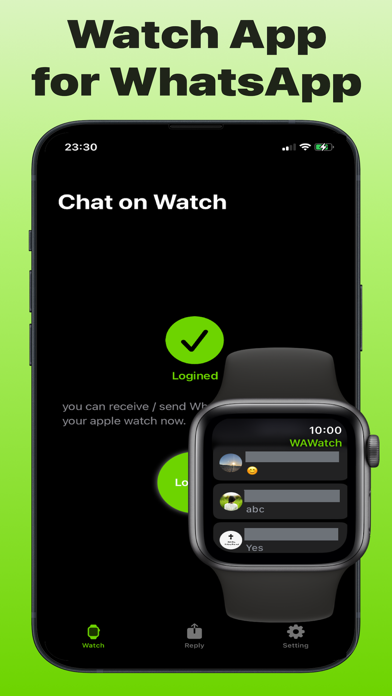
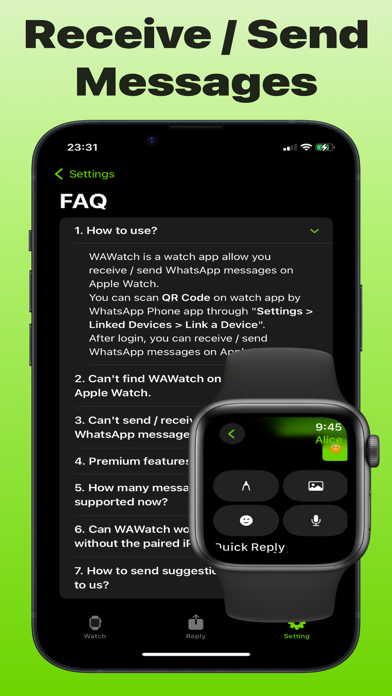
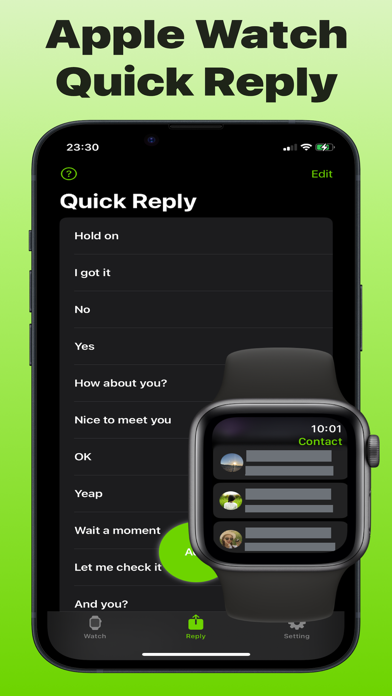
WAWatch - Quick Reply WhatsApp Messages on Your Apple Watch If you want to receive and reply WhatsApp messages on your Apple Watch, WAWatch is the correct choice. In WAWatch, you can sync WhatsApp chat list / contact list, receive and send WhatsApp messages on Apple Watch. Key Features: Receive / Send WhatsApp messages on Apple Watch Custom quick reply list on iPhone and send reply on Apple Watch Supported WhatsApp message types: - Text - Photo - Audio - Emoji - WhatsApp Sticker - Other type messages can be viewed on WhatsApp Why WAWatch? - Free to reply WhatsApp messages - Great user experience - Support almost all types which suit for Apple Watch - Only need login first, WAWatch will sync chat list and contact list automatically - Data security, WAWatch never save your privacy data How It Works? Open WA Watch on your iPhone. Scan QR code through WhatsApp by Settings > Link Devices > Link a Device to link WhatsApp Account. WAWatch watch app should use with paired iPhone / iPad app, please keep the iPhone / iPad nearby, so WAWatch can access the network. Without iPhone / iPad counterpart app, WAWatch can't work standalone on Apple Watch. Disclaimer: WAWatch is a third-party client, which wasn't owned or supported by WhatsApp Team. We follow the WhatsApp Terms of Service and never collect user data in WAWatch. If you want to support our further development, you can buy in-app subscription to unlock all features. Also, you can still use free version to send / receive messages. Terms of Service: https://wawatch.watchchat.me/terms Privacy Policy: https://wawatch.watchchat.me/terms
Latest release
What’s New
Improved user experience. Thank you for using WAWatch to receive and send WhatsApp messages on Apple Watch.
Audience growth
Ratings growth
Baseline captured. Growth appears after the crawler observes a changed rating count.
Momentum comes from crawler snapshots for the tracked storefront. “Viral growth signal” means unusually fast recent rating gains; it is an indicator, not download data.
Price tracking
Price intelligence
First snapshot captured. The trend line starts after the next crawler price observation.
- First observed Sep 1, 2026 · 2:50 PM Free
Screenshots