About this app
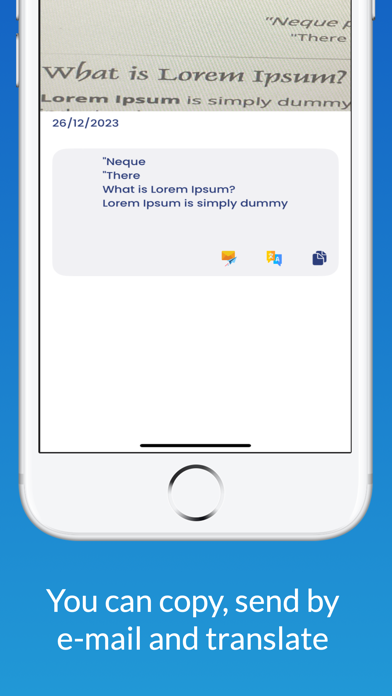
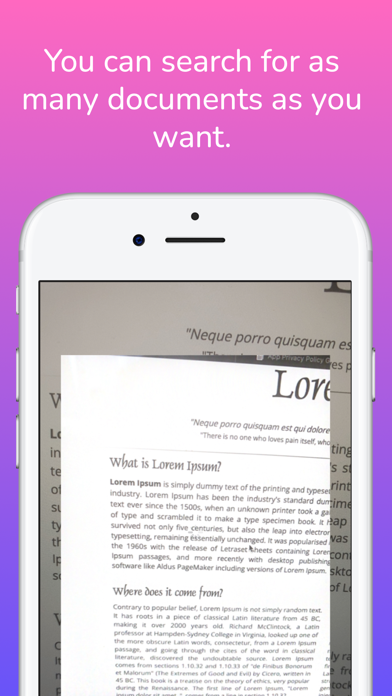
"Lens OCR - Effortless Text Transformation! Unleash the potential of Lens OCR, featuring advanced Optical Character Recognition (OCR) technology. Convert images, photos, PDFs, and spoken words into editable text seamlessly. Key Features: 1. Powerful OCR Technology: Harness the strength of cutting-edge OCR for instant text conversion from images, photos, PDFs, and speech. 2. Versatile Input Options: Image to text from various sources - images, live camera shots, PDFs, or spoken words. Lens OCR offers diverse input formats for text conversion. 3. Automatic Save and Edit: OCR Scans are automatically saved, enabling easy editing, saving, and sharing. Your work is accessible whenever you need it. 4. User-Friendly Interface: With a simple, intuitive interface, Lens OCR - Image To Text ensures fast and user-friendly text conversion. 5. Privacy and Security: Your privacy is a priority. Lens OCR - Image To Text securely stores scans locally on the device, keeping sensitive data safe. 6. Use Anytime, Anywhere: Mobile-friendly Lens OCR allows text ocr conversion on the go. Whether scanning documents or converting speech to text, Lens OCR is your reliable companion. Additional Features: - Copy and Paste: Quickly use converted photo to text converter's result in other applications. - Email Integration: Send converted photo to text via email directly from the app. - Translate Functionality: Seamlessly translate photo to text into different languages. Unlock the power of text within images with Text Scanner (Lens OCR)! Effortlessly extract text from images, screenshots, and PDFs with unparalleled accuracy in 92 languages. Translate the extracted text into over 100 languages for seamless communication across the globe. Experience the future of image to text transformation with Lens OCR - your go-to for image to text, photo to text converter, text scanner, OCR, speech to text, and more!" PRO Lens OCR Key Features:: Unmatched Accuracy: Extract text from any image with 99%+ accuracy. Multilingual Support: Recognize text in 92 languages and translate into over 100 languages. Versatile Input: Scan images, screenshots, and PDFs. Screenshot OCR: Instantly extract text from your screen captures. PDF Import: Extract and translate text from PDF documents. Intuitive Editing: Crop images, edit OCR results, and share with ease. Organized Scans: Save, sort, and search through your scan history. Share Extension: Quickly extract text from images shared from other apps. Multiple Column Selection: Easily select text from multi-column layouts. Secure Backup: Safeguard your scans with backup and restore functionality. Experience the future of text extraction – download Text Scanner (OCR) now! Works well only with well-formatted text and clearly visible English text. Supports English language only. Image needs to be in portrait mode. Works offline. Supports Batch image scanning. Direct Save/Export to *.txt and *.pdf file Share scanned text. Language Support: Arabic image to text OCR Belarusian image to text OCR Bulgarian image to text OCR Catalan image to text OCR Chinese image to text OCR Croatian image to text OCR Czech image to text OCR Danish image to text OCR Dutch image to text OCR English image to text OCR Estonian image to text OCR Finnish image to text OCR French image to text OCR German image to text OCR Greek image to text OCR Italian image to text OCR Japanese image to text OCR Korean image to text OCR Norwegian image to text OCR Persian image to text OCR Polish image to text OCR Portuguese image to text OCR Romanian image to text OCR Russian image to text OCR Serbian image to text OCR Slovak image to text OCR Slovenian image to text OCR Spanish image to text OCR Swedish image to text OCR So try our Text from image app. And Scan text, Copy text, Extract text from any images or photos or pictures you like! Terms of Use: https://www.apple.com/legal/internet-services/itunes/dev/stdeula
Latest release
What’s New
-We've implemented various performance improvements and bug fixes to ensure Lens OCR runs smoothly on the latest devices and operating system. -Based on your valuable feedback, we've incorporated features that enhance your overall experience. This includes additional export options, improved sharing capabilities, and more. -Our editing tools have been refined for increased precision and ease of use. Edit, format, and organize your converted text effortlessly within the app. -Lens OCR now recognizes and preserves document structures more effectively. Enjoy a smoother editing experience when working with complex documents. -Enjoy quicker text conversion with optimized processing speeds. Lens OCR now delivers faster image to text results, ensuring an efficient and seamless experience for our users. -We've fine-tuned our OCR engine for even greater accuracy in text conversion. Experience improved results when converting photos, live camera shots, PDF documents, and spoken words into editable text.
Audience growth
Ratings growth
Baseline captured. Growth appears after the crawler observes a changed rating count.
Momentum comes from crawler snapshots for the tracked storefront. “Viral growth signal” means unusually fast recent rating gains; it is an indicator, not download data.
Price tracking
Price intelligence
First snapshot captured. The trend line starts after the next crawler price observation.
- First observed Aug 11, 2026 · 7:56 AM Free
Screenshots