About this app
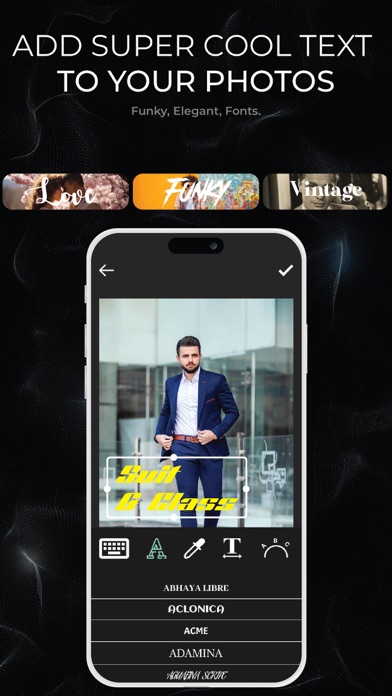
Photo Editor - AI Background Eraser offers everything you want to edit pictures on this pics art tour. 100+ stylish effects, filters, photo collage, blur photo, grids, change background & beauty plus tools help you create photo art fun! With Photo Room, you can directly Save your artworks to desktop or in photo library. Unlock your creativity, and edit pictures like a pro! Photo Editor Features Photo Editor is a place where expression matters most. We offer creative photo editing tools, inspiration, and a place for you to be you. Take your photography to the next level with 16 free presets. Make your photos & videos pop with our on-trend editing tools, including: AI Background Eraser Cut out the subject of a photo and decorate it with a fun new background. Clean up anything you don’t want, like watermarks, LOGO, and passers-by. Erase sticker or text, erase whatever you feel is spoiling your photos Photo Effects Set your content with our vintage inspired Photo effects. Apply Neon, Glitch, Blur, Light FX, following the fashion trends. Photo Filter Easily get hundreds of free filters to decorate your photos Image Adjustments Easily rotate, zoom and flip your photos. You can crop, bright, contrast, saturate, warm and sharp your pics with photo editor. Photo Collage Maker Remix up to 10 picture into a photo collage instantly. Simple Collage maker with 100+ layouts and backgrounds, you can also adjust the border width, background color and transform your photos. Blur Photo Editor A must have blur photo editor free with advanced blur photo. It is used to blur parts of your photo to get DSLR blur photo effect. Note: STEP 1 - Payment will be charged to your iTunes account at confirmation of purchase. Your subscription will automatically renew unless auto-renew is turned off at least 24-hours before the end of the current subscription period. STEP 2 - Your account will be charged for renewal within 24-hours prior to the end of the current subscription period. Automatic renewals will cost the same price you were originally charged for the subscription. STEP 3 - You can manage your subscriptions and turn off auto-renewal by going to your Account Settings on the App Store after purchase. Read our terms of service and Privacy Policy for more information. Terms of Use https://tstechnology.org/terms.html Privacy Policy https://tstechnology.org/privacy.html
Latest release
What’s New
# Photo Editor - AI Background Remover - Totally New User Experience - Bug Fixes - Performance Enhancements
Audience growth
Ratings growth
Baseline captured. Growth appears after the crawler observes a changed rating count.
Momentum comes from crawler snapshots for the tracked storefront. “Viral growth signal” means unusually fast recent rating gains; it is an indicator, not download data.
Price tracking
Price intelligence
First snapshot captured. The trend line starts after the next crawler price observation.
- First observed Aug 8, 2026 · 2:47 PM Free
Screenshots