About this app
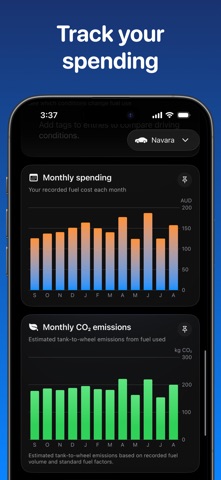
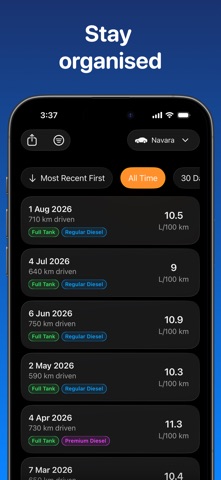
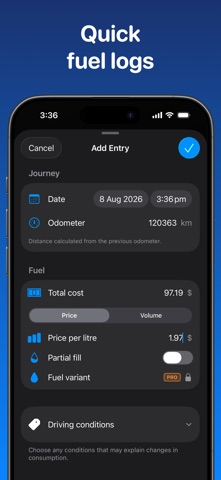
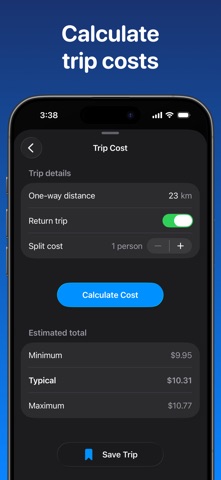
Understand your real fuel consumption and what your vehicle costs to run. Fuel Consumption Tracker turns every fill into clear insights about efficiency, spending and driving patterns. Simple fuel logging • Record odometer, fuel quantity, total cost, unit price, fuel variant and driving conditions • Calculate consumption in L/100 km, km/L, US MPG or Imperial MPG • Keep every entry organised in a clear logbook • Edit past entries and export your complete history as CSV Insights that help you make better choices • Compare consumption and efficiency across different fuel variants • Explore charts for consumption, spending, fuel prices, distance, efficiency and CO2 • Estimate trip and commute costs • Receive practical tips that can help improve fuel economy Find Fuel • Find nearby fuel stations by price or distance in supported countries • Compare the cost of travelling to a station when enough consumption history is available • Choose petrol grades or diesel to match your vehicle • Location is used for the live search and is not stored by the app or its backend Free features • Track one vehicle • View essential charts and selected fuel saving tips • Try two lifetime Find Fuel searches Fuel Consumption Tracker Pro • Add and personalise unlimited vehicles • Unlock every chart and pin your favourites • Access every fuel saving tip • Keep your records backed up automatically with private iCloud storage • Receive ten Find Fuel searches each month Existing lifetime Pro customers keep their access. Monthly and annual Pro subscriptions renew automatically unless cancelled at least 24 hours before the end of the current subscription period. Payment is charged to your Apple Account. You can manage or cancel your subscription in your Apple Account settings. Privacy Policy: https://tinyurl.com/mtsa5cw4 Terms of Use: https://www.apple.com/legal/internet-services/itunes/dev/stdeula/
Latest release
What’s New
- Improved fuel entry ordering and fuel labels - Bug fixes and improvements
Audience growth
Ratings growth
Baseline captured. Growth appears after the crawler observes a changed rating count.
Momentum comes from crawler snapshots for the tracked storefront. “Viral growth signal” means unusually fast recent rating gains; it is an indicator, not download data.
Price tracking
Price intelligence
First snapshot captured. The trend line starts after the next crawler price observation.
- First observed Sep 16, 2026 · 1:11 PM Free
Screenshots