About this app
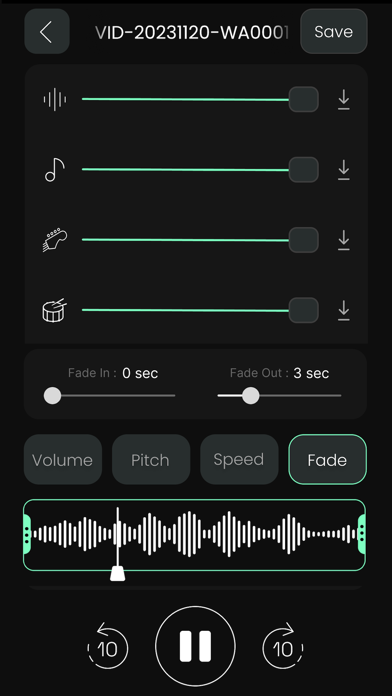
Turn any song or video into studio‑quality stems. AI Music lets you remove vocals, isolate instruments, replace audio in videos, extract audio from video, and create perfect karaoke or remix tracks in seconds – all on your iPhone. Whether you’re a musician, producer, karaoke enthusiast, podcaster, or simply enjoy customizing your audio, AIMusic offers a complete suite of tools to enhance your creativity. AI Vocal Removal & Instrument Isolation - Create karaoke tracks by removing vocals from your own legally obtained audio files. - Isolate instrumental elements for practice, remixing, or creating unique arrangements. - 2‑Stems (Free): Quickly split any song into Vocals + Instrumental (Music). - 4‑Stems (3 Free Trials): Separate into Vocals, Drums, Bass, Other for advanced remixes and practice. - 5‑Stems (PRO): Full studio‑style separation – Vocals, Piano, Drums, Bass, Other. - Adjust each stem independently with intuitive sliders (mute vocals, boost drums, solo bass, etc.). Advanced AI Stem Separation - Separate songs into individual stems, including vocals, drums, bass, guitar, and piano, using cutting-edge AI. - Remix, re-edit, and experiment with individual stems to produce original music projects. Seamless Music Editing Tools Trim, Merge & Mix Audio - Trim: Cut intros, outros, or unwanted parts with precise control. - Merge: Join multiple tracks to create mashups, DJ sets, or continuous playlists. - Mix: Layer tracks together and balance volumes to create custom edits or practice tracks. - Speed adjustments: Control playback tempo for practice or remix purposes. Video to WAV / Audio Extractor - Convert any video to high‑quality WAV audio in one tap. - Ideal for pulling audio from Reels, Shorts, TikToks, performances, or tutorials. - Save the extracted audio to your projects or share it directly. Replace Audio in Any Video - Pick a video from Photos or Files/Drive. - Extract the original audio, trim your new track, and perfectly replace the soundtrack. - Keep your original video while swapping out unwanted background music, noisy audio, or copyrighted tracks. My Projects & Quick Access - All processed tracks and exports are saved under My Projects. - Search by name or instrument and reopen projects anytime to tweak or export again. - Quickly share your creations to social apps, messaging, or other audio/video editors. Additional Features - Pitch changer – adjust pitch for creative or practice needs. - High-quality processing – minimal artifacts, exceptional sound clarity. - Multiple formats – import and export in MP3, M4A, and more for compatibility with your devices. - Intuitive interface – designed for both beginners and professionals. - Works with files from Music Library, Files/Drive, iCloud, and Photos videos. Important: AIMusic is intended for use with audio content you own or have permission to edit. Please respect all applicable copyright laws when using the app. Designed for Creators, Musicians & Editors AI Music is perfect for: - Singers & Producers – make instant karaoke/instrumental versions or remixes. - Musicians – isolate stems to practice along with specific parts. - Video Creators – cleanly replace or extract audio from clips for social content. - DJs & Editors – create edits, mashups, and mixes with full stem control. Free vs PRO - 3 free trials of 4‑stem AI separation. - Unlock 5‑stem separations. - Unlimited 4‑stem usage. - Remove ads and get a smoother, distraction‑free workflow. Keywords : AI Vocal Remover , Voice Remover , Music Remover , Audio Remover , Mp3 Remover, Song Remover , AI stems Extractor , AI Vocal Extractor , AI Voice Extractor , Music Extractor , Audio Extractor , Mp3 Extractor, Song Extractor Splitter AI, Privacy Policy : https://aimusicios.blogspot.com/2025/08/privacy-policy.html Terms of Use : https://aimusicios.blogspot.com/2025/08/terms-of-use.html Download AIMusic today and unlock a world of creative possibilities!
Latest release
What’s New
- bug fixed.
Audience growth
Ratings growth
Baseline captured. Growth appears after the crawler observes a changed rating count.
Momentum comes from crawler snapshots for the tracked storefront. “Viral growth signal” means unusually fast recent rating gains; it is an indicator, not download data.
Price tracking
Price intelligence
First snapshot captured. The trend line starts after the next crawler price observation.
- First observed Sep 18, 2026 · 6:55 AM Free
Screenshots