About this app
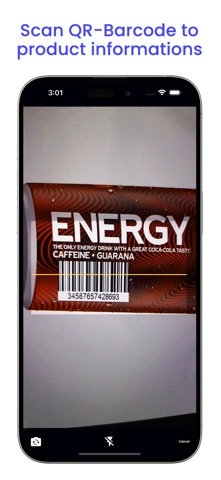
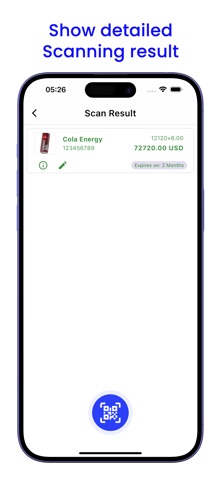
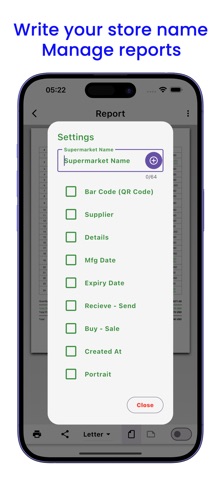
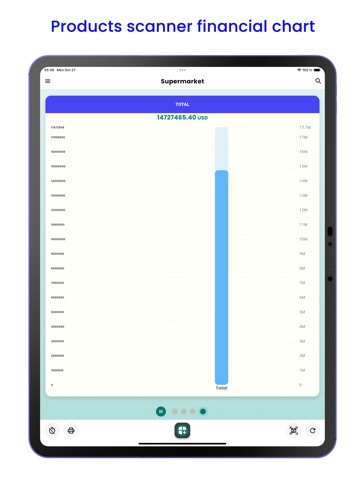
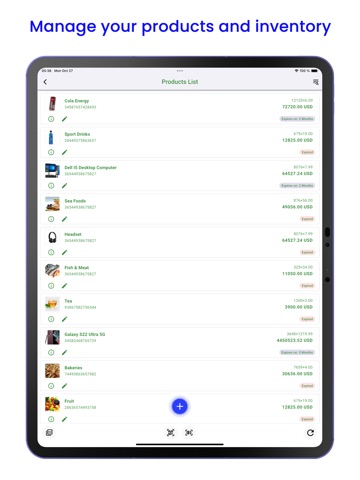
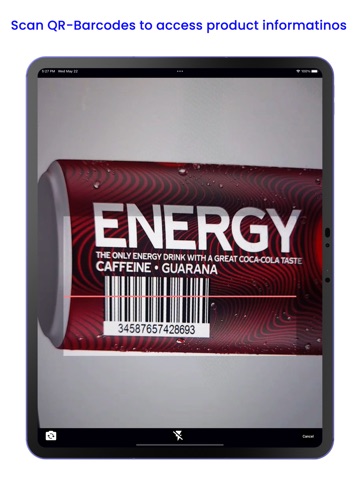
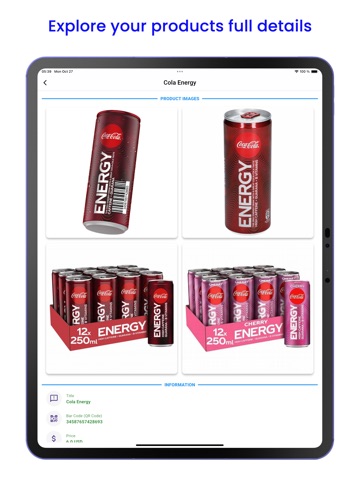
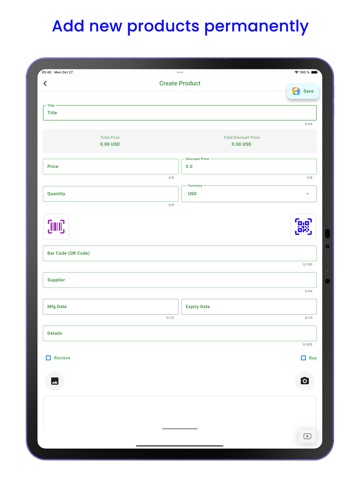
Welcome to the Supermarket QR Barcode Scanner app! This powerful tool allows you to efficiently manage your supermarket or store inventory. Whether you’re a small shop owner or part of a large logistics service, this app offers essential features to enhance your product management process. Key Features: 1. Product Management: ● Easily insert all your products into the app. ● Create new products by filling in essential details such as name, price, currency, quantity, QR code or barcode, supplier, manufacturing date, expiration date, and product description. ● Capture product images directly from your iPhone or iPad gallery or camera. ● Securely store images in your iPhone or iPad storage. 2. Editing Products: ● Quickly edit product information. ● Select a specific product for editing and save changes seaml 3. QR Code and Barcode Scanning: ● Users can access product information by scanning QR codes or barcodes. ● Pre-registered product details are displayed after each scan. 4. Auto Calculation: ● The app automatically calculates product quantities and prices during creation or editing. ● Total quantities and prices are displayed on the main screen. 5. Reports: ● Generate comprehensive reports from stored product data. ● Keep track of sales, stock levels, and other relevant information. 6. User-Friendly Design: ● Enjoy an intuitive and easy-to-navigate interface. ● Choose between light and dark theme modes. 7. Multi languages Support: Available in multiple languages, including: ● English ● Arabic ● Chinese ● French ● Spanish ● Russian ● Portuguese ● German ● Hindi ● Turkish ● Pashto ● Italian ● Persian ● Polish ● Dutch ● Romanian ● Filipino ● Vietnamese App Usage Scenarios: The Supermarket QR Barcode Scanner app caters to various businesses and scenarios, including: ● Supermarkets ● Logistics Services ● Electronic & Hardware Parts Shops ● Stock Keeping in Warehouses and Factories ● Small Shops and Grocery Stores ● Wholesalers ● Pharmacies and Medical Stores ● Motor Parts Shops and Auto Repair Centers ● Textile Factories and Garment Stores ● Jewelry Shops ● Building Material Suppliers and Construction Sites ● Tea, Coffee, and Paan Traders ● Food Wholesalers (Ghee, Oil, Spices, Cereals, Potatoes, Onions) ● And more! Whether you’re managing a small shop or a large-scale operation, the (Supermarket QR Barcode Scanner) app simplifies inventory control, enhances efficiency, and ensures accurate product tracking. Try it today and experience seamless management! Get organized with the Supermarket QR Barcode Scanner app – your ultimate inventory companion! Need assistance? Our customer support team is available 24/7. Feel free to reach out to us at shiraghaappstore@gmail.com for any queries.
Latest release
What’s New
UI Updated
Audience growth
Ratings growth
Baseline captured. Growth appears after the crawler observes a changed rating count.
Momentum comes from crawler snapshots for the tracked storefront. “Viral growth signal” means unusually fast recent rating gains; it is an indicator, not download data.
Price tracking
Price intelligence
First snapshot captured. The trend line starts after the next crawler price observation.
- First observed Aug 24, 2026 · 5:44 PM Free
Screenshots