About this app
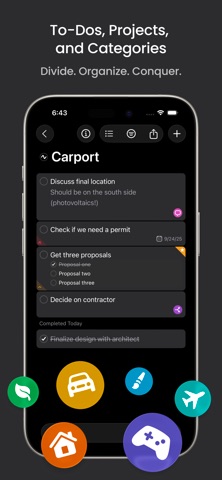
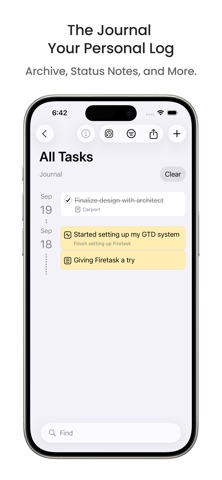
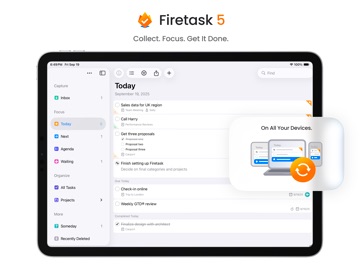
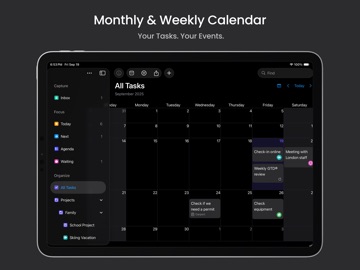
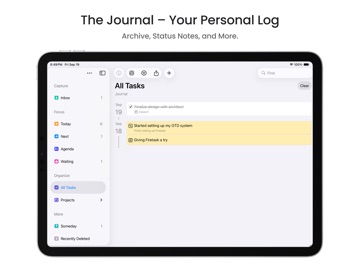
Get more done — with focus and clarity. Firetask helps you focus on what matters today, plan what’s next, and never lose track of what you’re waiting for. WHY FIRETASK? - FOCUS. Easily see what is due "Today", what comes "Next" and what you are "Waiting For". - PROJECTS & CATEGORIES. Organize work and life without overcomplicating your setup. - ALWAYS IN SYNC. Stay productive across iPhone, iPad and Mac with fast iCloud syncing. - DESIGNED FOR CLARITY. A clean, distraction-free interface that surfaces only the tasks that are relevant now. - MULTIPLE VIEWS. Switch perspectives between simple lists, Kanban boards and an integrated "Calendar" as needed. NEW IN FIRETASK 5 - TAGS. When you need even more flexibility without adding complexity. - AGENDA. One additional focus area for things you want to discuss. - JOURNAL. A journal, status notes, and a task archive in a single new view. - FILE ATTACHMENTS. Attach files directly to your tasks and projects. THE FIRETASK ADVANTAGE - SIMPLER. No steep learning curve, just start and go. - STRUCTURED. Built-in Today, Next, and Waiting For views keep priorities clear. - FOCUSED. Designed to cut through noise so you can actually get things done. WHY YOU WILL LOVE IT - Built on proven GTD® concepts, but without the heavy learning curve. - Native apps designed for Apple platforms — fast, beautiful, and consistent. - One subscription unlocks all features across devices. Start your free month today and discover how easy it is to get more done with focus and clarity. TERMS OF USE Firetask uses the standard Apple Terms of Use (EULA): https://www.apple.com/legal/internet-services/itunes/dev/stdeula/
Latest release
What’s New
Our first major update for Firetask 5 brings together lots of your feedback along with a few practical improvements for your everyday task management: - The + button now does more: on the Projects level it also creates new portfolios, and on the portfolio level new projects (which we hope feels much more natural, especially for new users) - The view-type switcher has a new design that's clearer and more consistent across all view types - The Focus area now supports two new view types: Kanban and By Priority - Task notes are now slightly smaller and to-dos slightly larger, for better readability at a glance - A new setting lets you choose where new focused tasks are added: at the top or at the bottom Plus many more smaller usability and stability improvements. Let us know what you think!
Audience growth
Ratings growth
Baseline captured. Growth appears after the crawler observes a changed rating count.
Momentum comes from crawler snapshots for the tracked storefront. “Viral growth signal” means unusually fast recent rating gains; it is an indicator, not download data.
Price tracking
Price intelligence
First snapshot captured. The trend line starts after the next crawler price observation.
- First observed Sep 2, 2026 · 10:18 AM Free
Screenshots