About this app
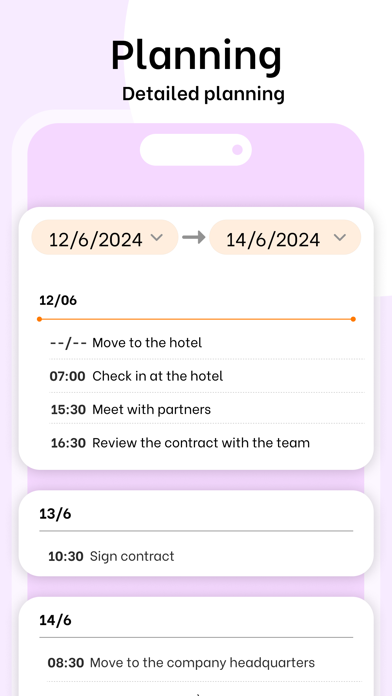
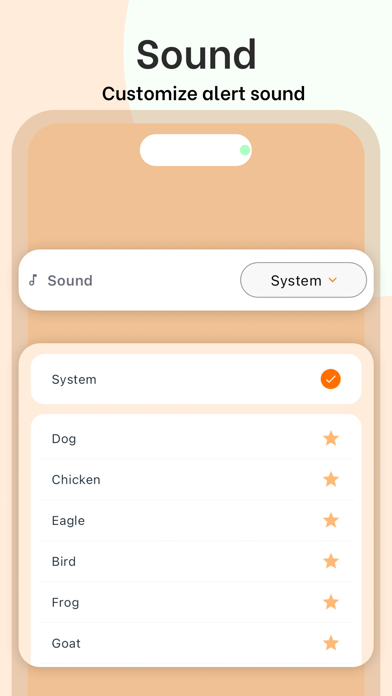
Mega Calendar: Your Ultimate Time Management Companion Plan your day or multiple days in advance. Effortlessly schedule your day or multiple days in detail, ensuring you stay organized and never miss an important event or activity. SHARED GROUP CALENDARS — PLAN TOGETHER WITH THE PEOPLE AROUND YOU This is what makes Mega Calendar truly special — a feature most calendar apps simply don't have. Create a shared group, invite the people around you, and everyone sees the same plan update in real time. - Create a group and invite family, friends, roommates or teammates with a simple invite code - Share any plan or event to the group with a single tap - Everyone stays in sync automatically — changes appear instantly for all members - See who created or updated each shared event - Perfect for family schedules, trips, study groups, team projects and shared chores Stop juggling screenshots and group chats — keep everyone literally on the same page. Set up recurring events. Simplify reminder scheduling by repeating events daily, weekly, monthly or annually. Get timely reminders for upcoming appointments and event starts. Never forget or miss an appointment again with customizable reminders. Receive alerts well in advance of event start times. Plan trips with family or friends. Create comprehensive travel plans including itineraries, accommodations, sightseeing and more — then share them with your group so everyone is ready. To-do lists and notifications. Stay on top of your tasks by creating to-do lists and receiving notifications before each task is due. Offline functionality. Plan and manage your time anytime, anywhere — even without an internet connection. Customize notification sounds. Distinguish events using different notification sounds for each event or plan. Download Mega Calendar today and start organizing your time — together. Never miss another event again. Terms of Use (EULA): https://www.apple.com/legal/internet-services/itunes/dev/stdeula/
Latest release
What’s New
• New: Shared group calendars — create a group, invite the people around you, and plan together in real time. • Improved reminders and recurring events. • Bug fixes and performance improvements.
Audience growth
Ratings growth
Baseline captured. Growth appears after the crawler observes a changed rating count.
Momentum comes from crawler snapshots for the tracked storefront. “Viral growth signal” means unusually fast recent rating gains; it is an indicator, not download data.
Price tracking
Price intelligence
First snapshot captured. The trend line starts after the next crawler price observation.
- First observed Aug 19, 2026 · 6:31 AM Free
Screenshots