About this app
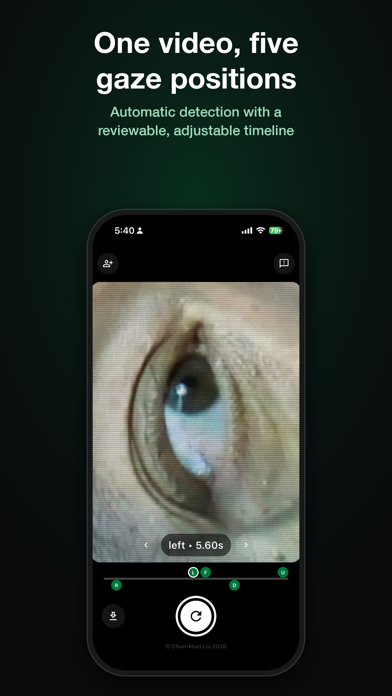
Iris Vision helps you take clear, detailed photos of the iris using just your iPhone. No special equipment and no fiddly manual settings. Point it at an eye and the app guides you to a sharp, well framed shot. Version 2.0 is a major update. The interface has been rebuilt around the live preview, and the new Normal mode works on every iPhone, not just Pro models. TWO CAPTURE MODES • Normal: uses the main camera from a comfortable distance. Works on all iPhones. • Macro: ultra-close capture with the ultrawide lens for maximum iris detail. Gaze tracking and eyelid detection fire the shutter only when the iris is fully visible. Requires an iPhone Pro. GUIDED CAPTURE • The framing overlay doubles as your guide. It turns green when the iris is sharp, red when it isn't, and warns you when there isn't enough light. • On-screen cues show how to hold the phone for each eye. • The volume buttons work as a shutter, so you can shoot one-handed without shaking the phone. VIDEO AND GAZE POSITIONS • Record a short video while the person looks up, down, left, right and straight ahead. • Iris Vision picks out the best frame for each gaze position and saves five labelled photos along with the video. • A timeline lets you check each detected position and adjust it frame by frame before saving. STAY ORGANISED • Photos and videos are named automatically with the name you enter, the eye (R/L), capture mode, gaze direction, date and time. • Right and left eye tagging, with a separate capture orientation for each. • Everything saves straight to your photo library. • A feedback button is built in. Tell us what to improve. Every iris is one of a kind. Download Iris Vision and see yours in a whole new level of detail.
Latest release
What’s New
Iris Vision 2.0 is a major update: • Now works on every iPhone. The new Normal mode uses the main camera, so a Pro model is no longer required • Video recording with automatic gaze detection: record once and get labelled photos of the eye looking up, down, left, right and straight ahead • Review timeline: check each detected gaze position and adjust it frame by frame before saving • Live guidance: the framing overlay turns green when the iris is sharp, warns you in low light, and shows which way to rotate the phone • Volume buttons now work as a shutter • Redesigned interface • Photos and videos are named automatically with the name, eye, mode, gaze direction, date and time • New in-app feedback button. We read everything • Bug fixes and performance improvements
Audience growth
Ratings growth
Baseline captured. Growth appears after the crawler observes a changed rating count.
Momentum comes from crawler snapshots for the tracked storefront. “Viral growth signal” means unusually fast recent rating gains; it is an indicator, not download data.
Price tracking
Price intelligence
First snapshot captured. The trend line starts after the next crawler price observation.
- First observed Sep 6, 2026 · 5:54 PM Free
Screenshots