About this app
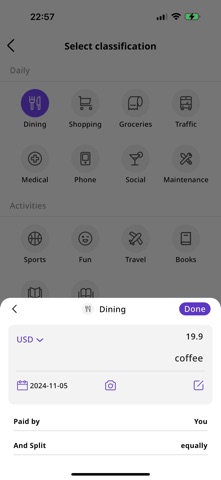
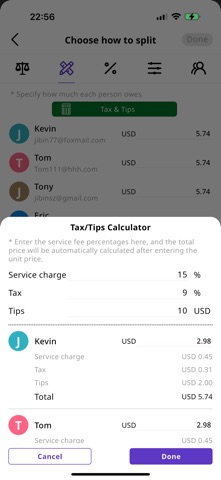
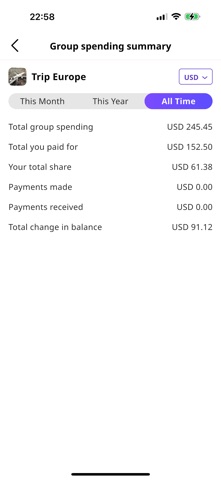
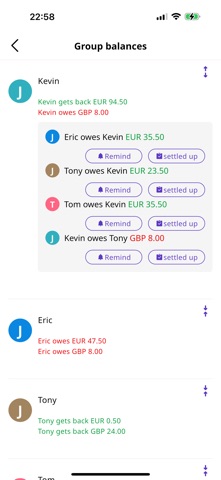
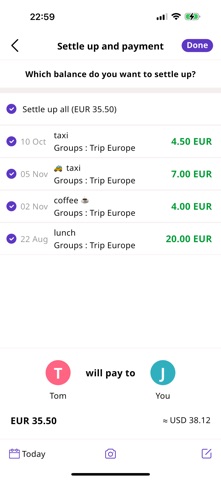
SplitGo is the ultimate app for splitting expenses among friends, family, roommates, or travel buddies. No more confusion over who paid what—SplitGo simplifies your expense-sharing experience with an intuitive, sleek interface that tracks and categorizes your expenses precisely. Perfect for any occasion, SplitGo supports global currencies and even handles service fees, taxes, and tips for accurate cost division. Key Features: Add multiple payers per expense Choose from five split methods: equal, precise, proportional, specified amount, and share-based split The only app with integrated service fee, tax, and tip calculations View monthly or yearly spending trends with enhanced charts Organized expense tracking by category Automatic currency conversion with global support Available in 16 languages Check balances across all groups and private expenses Export comprehensive spending records Summary views for group expenses (monthly, yearly, or all-time) Ideal for: Roommates splitting household expenses Group travel budgeting Vacation expenses for family trips, weddings, and parties Couples sharing relationship costs Friends or colleagues dining out together Tracking loans and IOUs SplitGo helps you stay organized, stress-free, and on top of your shared expenses. Download now to make splitting costs hassle-free! https://www.apple.com/legal/internet-services/itunes/dev/stdeula/ -- Privacy Policy: https://www.splitgo.io/privacy-policy-en/ -- Service agreement: https://www.splitgo.io/user-and-service-agreement-en/
Latest release
What’s New
1. Support AI-powered automatic bill recognition. 2. Support data sharing with MoneyPocket, allowing automatic expense entries in MoneyPocket for easier daily expense management. 3. Fix some issues.
Audience growth
Ratings growth
Baseline captured. Growth appears after the crawler observes a changed rating count.
Momentum comes from crawler snapshots for the tracked storefront. “Viral growth signal” means unusually fast recent rating gains; it is an indicator, not download data.
Price tracking
Price intelligence
First snapshot captured. The trend line starts after the next crawler price observation.
- First observed Aug 20, 2026 · 2:37 AM Free
Screenshots