About this app
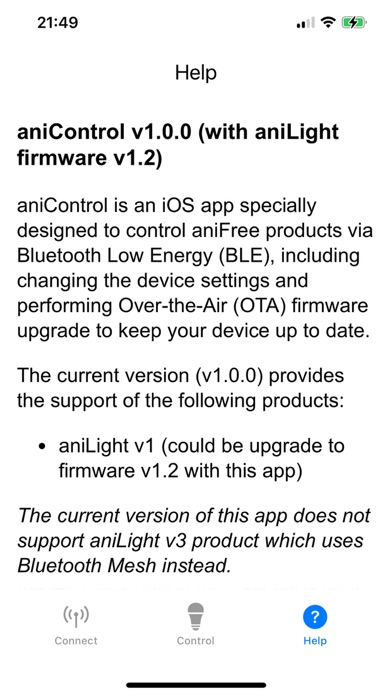
aniControl is an iOS app specially designed to control aniFree products via Bluetooth LE, including changing device settings (such as Light brightness, RGB light color, White color temperature, Delay time, etc.) and performing Over-the-Air (OTA) firmware upgrade to keep your device up to date. First, you need to operate aniLight to enter BLE mode: ① Power aniLight off: Press and hold the left PWR button for 3 seconds until red light runs counterclockwise once. ② Enter BLE mode: Press and hold the right SET button, while SET button is held, press and hold PWR button for 3 seconds until BLUE (not green) light runs clockwise once, then release both buttons. Go to [Connect] tab to scan and find aniLight device with the name of "aniLight_1", and connect to it. Go to [Control] tab to change settings of the connected aniLight or perform firmware upgrade. * You need to press the Save button to save your changes to the device. * After firmware update, aniLight will restart to the normal operation mode (without BLE). If you want to use BLE feature, re-enter BLE mode. Go to [Help] tab for more detailed information. BLE mode needs more power to run. So after finishing firmware update and settings change, re-enter the normal mode: ① Power the unit off. ② Power the unit on normally: Press and hold PWR button for 3 seconds until green light runs clockwise once. * This app (v1.0.1) only works with aniLight v1 device. It provides the firmware v1.2. * This app (v1.0.1) does not work for aniLight v3 device which supports BLE Mesh instead.
Latest release
What’s New
. Fixed the minor bug which displays firmware upgrade result as "Failed" but actually should be "Succeed".
Audience growth
Ratings growth
Baseline captured. Growth appears after the crawler observes a changed rating count.
Momentum comes from crawler snapshots for the tracked storefront. “Viral growth signal” means unusually fast recent rating gains; it is an indicator, not download data.
Price tracking
Price intelligence
First snapshot captured. The trend line starts after the next crawler price observation.
- First observed Sep 1, 2026 · 2:50 PM Free
Screenshots