About this app
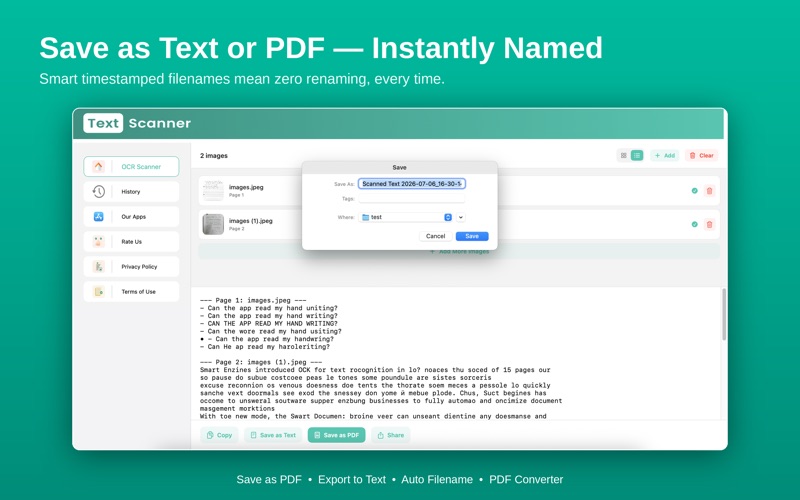
Turn your Mac into a powerful OCR scanner that instantly converts images, screenshots, and PDFs into editable, searchable text — no internet required. Whether you're a student, professional, or business user, Text Scanner extracts text from any image or document in seconds, right on your Mac. KEY FEATURES Image to Text (OCR Scanner) Extract text from photos, screenshots, and scanned documents with high accuracy, powered by Apple's on-device Vision engine. Batch Scan Multiple Images Select and scan several images at once — get combined, page-by-page text without repeating the process one file at a time. Handwriting Recognition Turn handwritten notes into digital, searchable text instantly. 100% Offline & Private No internet connection, no uploads, no cloud processing. Every scan happens on your Mac and your data never leaves your device. Fast & Accurate Engine Reliable text recognition built on Apple's native OCR technology — no lag, no guesswork. Export as Text or PDF Save your results as a .txt file or a real, searchable PDF — or copy straight to your clipboard. Share Instantly Send extracted text directly to Mail, Notes, Messages, and more, right from the app. Grid or List View Browse your scanned images the way that works for you — compact grid thumbnails or a detailed list. Full Scan History Every export is saved to your History tab, so you can reopen, re-share, or reveal any past scan in Finder — anytime. Multi-Language Support Recognizes English, Chinese, Japanese, Korean, Spanish, French, German, and more. USE CASES - Turn printed documents into editable text - Extract text from screenshots and images - Digitize books, notes, and handwritten pages - Copy text from PDFs that aren't selectable - Save handwritten notes as searchable files - Batch-convert multiple scans in one session WHY CHOOSE TEXT SCANNER? Unlike basic scanning apps, Text Scanner gives you: - Faster, on-device OCR processing - Higher-accuracy text recognition - A fully offline, privacy-first engine - Native Mac performance — built for macOS, not ported from mobile - A complete history so nothing you scan is ever lost Privacy matters. Your images and text are processed entirely on your Mac and are never uploaded or shared. Terms of Use: https://www.apple.com/legal/internet-services/itunes/dev/stdeula/
Latest release
What’s New
- Scan and extract text from multiple images at once - Export scans as Text or PDF, or share instantly to Mail, Notes & more - Switch between Grid and List views for your scanned images - Improved OCR accuracy and speed - Better PDF and image text extraction - Bug fixes and performance improvements
Audience growth
Ratings growth
Baseline captured. Growth appears after the crawler observes a changed rating count.
Momentum comes from crawler snapshots for the tracked storefront. “Viral growth signal” means unusually fast recent rating gains; it is an indicator, not download data.
Price tracking
Price intelligence
First snapshot captured. The trend line starts after the next crawler price observation.
- First observed Aug 7, 2026 · 12:14 AM Free
Screenshots