About this app
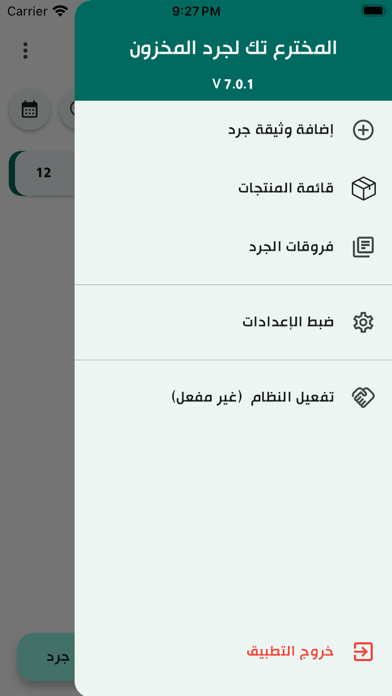
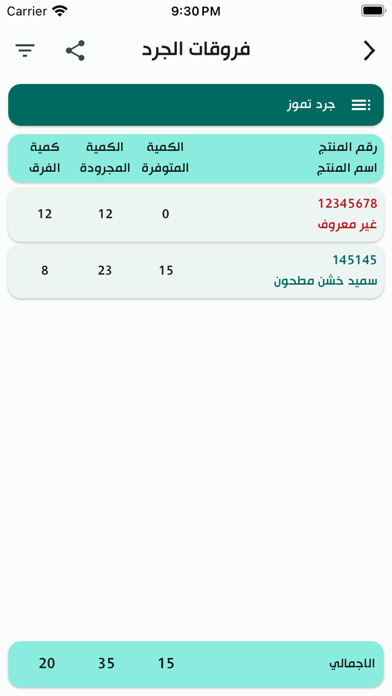
Features of the product inventory application program - A special inventory screen through which the product barcode is read, the available quantity is entered, and the price is entered. - The ability to import the products file onto the inventory device to know the data for each product during the product inventory - A screen showing the inventory differences between the actual quantities and the quantities counted through the inventory device - A special screen to enter the inventory documents on which the inventory is to be carried out - The ability to scan barcodes using the camera - The ability to extract inventory document files containing products, share them, and enter them into any accounting system. - A special screen for application settings and contains multiple and wide options - Full integration with our accounting systems and points of sale
Latest release
What’s New
- Resolved the issue of importing items when the file size was too large. - Resolved the issue of not adding items with a zero inventory quantity. - Added an option to prevent item duplication during inventory and to update the quantity of previously inventoried items. - Added the total number of products to the product list, along with a button to delete previous products. - Added total product details during refunds. - Added several application improvements.
Audience growth
Ratings growth
Baseline captured. Growth appears after the crawler observes a changed rating count.
Momentum comes from crawler snapshots for the tracked storefront. “Viral growth signal” means unusually fast recent rating gains; it is an indicator, not download data.
Price tracking
Price intelligence
First snapshot captured. The trend line starts after the next crawler price observation.
- First observed Aug 30, 2026 · 10:39 PM Free
Screenshots