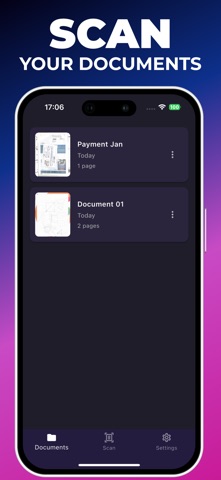
About this app
Transform your mobile device into a professional document scanner and converter with DocScanner by dimix! - Scan any document, photo, or page using your smartphone's camera - Instantly convert your scans to PDF, JPG, or PNG - Easily export your files in digital format # Key Features: - High-quality mobile scanner for documents and photos - Quick image-to-PDF conversion - Support for various formats: JPG, PNG, DOC, and more - Simple file export to cloud or via email - Intuitive interface for easy document management Whether you're a student, professional, or simply someone who needs to digitize documents, DocScanner by dimix is the perfect tool for you. Download now and carry the power of a professional scanner and document converter with you at all times!
Latest release
What’s New
In this version of Convert Image to PDF, you will find: Updated UI, a new Image Editor for editing PDF pages, add images from the library, export pages as JPEG, and bug fixes.
Audience growth
Ratings growth
Baseline captured. Growth appears after the crawler observes a changed rating count.
Momentum comes from crawler snapshots for the tracked storefront. “Viral growth signal” means unusually fast recent rating gains; it is an indicator, not download data.
Price tracking
Price intelligence
First snapshot captured. The trend line starts after the next crawler price observation.
- First observed Aug 20, 2026 · 8:36 AM Free
Screenshots