About this app
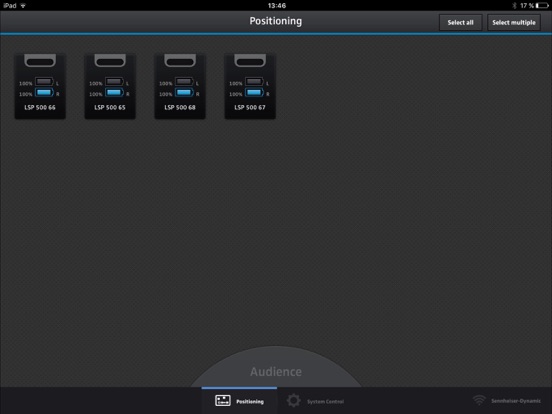
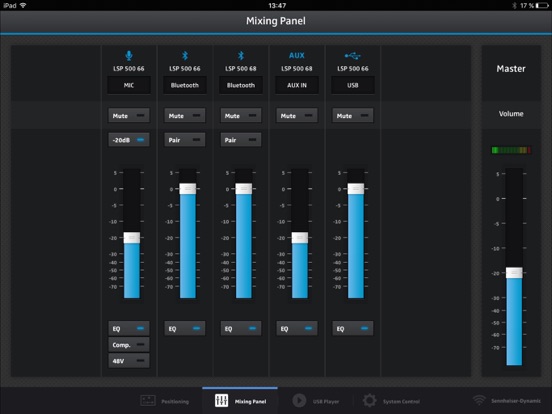
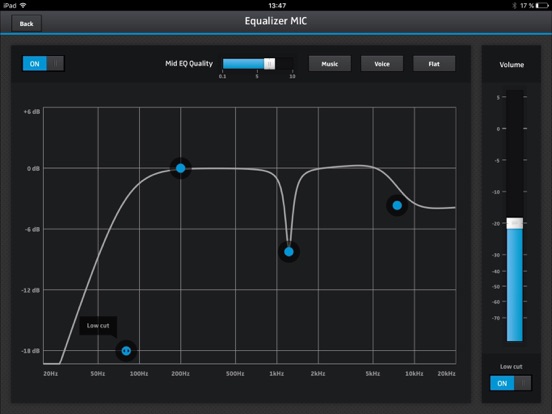
Sennheiser’s remote control app for the LSP 500 PRO professional wireless PA system turns your iPad into a mobile mixing console. You only need to connect your iPad and your Sennheiser LSP 500 PRO with a wireless network and you can start operating your LSP 500 PRO directly from your iPad. The app’s intuitive mixing console feature allows you to configure all functions and inputs of the LSP 500 PRO. If you are using Sennheiser evolution wireless receivers for wireless microphones in your LSP 500 PRO, the iPad app gives you remote access to all status information of the installed and connected devices. The functionality of the iPad app includes the control and configuration of up to 20 LSP 500 PRO sound systems at the same time. That provides an easy, comfortable and completely wireless operation of a large sound setup at large events. FEATURES - Operate your Sennheiser LSP 500 PRO professional PA system directly from your iPad - Use your iPad as a mixing console and configure all features and inputs of the LSP 500 PRO - Control and configure up to 20 LSP 500 PRO sound systems simultaneously - Communicates via WLAN - No additional software required - Works in landscape mode - Supports the Retina display DEMO MODE Activate a demo mode that simulates four LSP 500 PRO in a network. This allows you to test the functions of the app before using it in the field. To activate the demo mode, select "Settings" -> "LSP 500 PRO" on the iPad.
Latest release
What’s New
This release ensures compatibility to iOS 13 and fixes the following issues: - Views were not opened in full screen - Behavior of the Wifi connection icon - Crash of the Media Player when reopening a folder
Audience growth
Ratings growth
Baseline captured. Growth appears after the crawler observes a changed rating count.
Momentum comes from crawler snapshots for the tracked storefront. “Viral growth signal” means unusually fast recent rating gains; it is an indicator, not download data.
Price tracking
Price intelligence
First snapshot captured. The trend line starts after the next crawler price observation.
- First observed Aug 14, 2026 · 12:13 AM Free
Screenshots