About this app
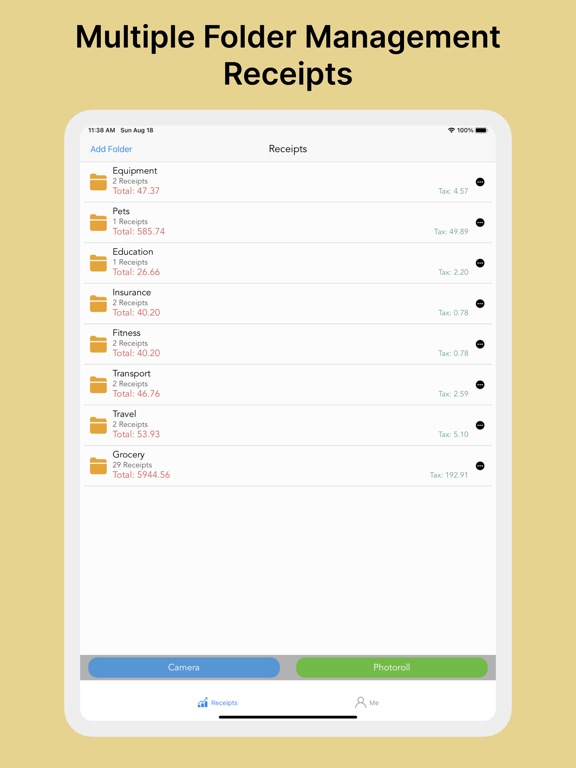
Receipt Scanner Organize your receipts and manage your expenses in the easiest way with Receipt Scanner. Just take a photo of your receipt, and it will automatically read the receipt details such as date, merchant, amount, tax, items, etc. Automatically recognize expense types and categorize receipts. Create folders to easily separate business receipts from personal expenses. Simple and intuitive user interface. Generate charts based on consumption categories. Perfect for small businesses, accountants, freelancers, or anyone who wants to easily track expenses. - scan receipt anytime, anywhere, and never miss any expense for reimbursement. - Health, Shopping, Transport, Travel, grocery, etc. Receipt Scanner recognizes almost all types of receipts, bills, and invoices. Generate and export your reports: - Generate your personal and business expense reports in seconds. - Export & share your expense reports to PDF (including receipt images) or Excel. Terms of Use: https://scanreceipt.s3.us-east-2.amazonaws.com/terms_of_use.html Privacy Policy: https://scanreceipt.s3.us-east-2.amazonaws.com/privacy_policy.html
Latest release
What’s New
Update the receipt scan AI model
Audience growth
Ratings growth
Baseline captured. Growth appears after the crawler observes a changed rating count.
Momentum comes from crawler snapshots for the tracked storefront. “Viral growth signal” means unusually fast recent rating gains; it is an indicator, not download data.
Price tracking
Price intelligence
First snapshot captured. The trend line starts after the next crawler price observation.
- First observed Oct 5, 2026 · 11:07 AM Free
Screenshots