About this app
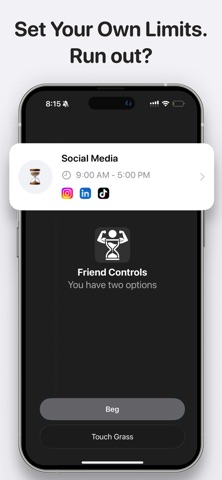
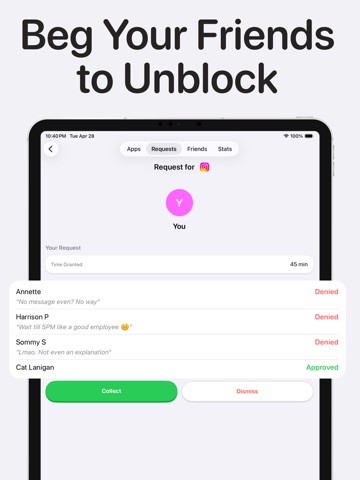
Friend Controls is the screen time app that actually works. Set your daily limits, and when time runs out, your real friends decide if you get more. No algorithms. No willpower tricks. Just real social accountability. Unlike every other screen time app you have tried, Friend Controls puts your friends in charge. The result? Users reduce screen time by an average of 60%. HOW IT WORKS 1. Download and choose which apps you want to limit. 2. Set your daily screen time for each app. 3. Invite friends to be your buddies. 4. When your time runs out, the app locks. Want more? Send a request to your friends. 5. Your friends see your request and decide: approve or deny. No mercy required. That is it. Simple, social, and surprisingly effective. KEY FEATURES App Blocking That Works: Choose any app on your phone to restrict. Instagram, TikTok, YouTube, games, dating apps, or anything else draining your hours. Real Friend Accountability: Your friends are not bots or timers you can snooze. They are real people who can say no. Request and Approve System: Run out of time? Send a plea to your Controllers. Make your case. Accept their judgment. Usage Tracking: See exactly how much time you spend on each app. Daily, weekly, and monthly breakdowns so you can track your progress. Focus and Study Mode: Block distracting apps during study sessions, work hours, or any time you need to concentrate. Privacy First: We do not sell your data. We do not track what you do inside apps. We only monitor time spent so your friends can help you stay on track. WHO IS THIS FOR? Students who need to focus during exam season. Couples who want to spend less time on their phones together. Friends who want to hold each other accountable. Anyone who has tried every screen time app and failed. People who know they waste hours every day but cannot stop on their own. THE SCIENCE BEHIND IT Research shows that social accountability is one of the most powerful behavior change tools. When someone else is watching, you try harder. Friend Controls takes that principle and puts it in your pocket. Download now and take back your time. Your friends are waiting to help. PRIVACY Friend Controls uses Apple's ScreenTime API. All your monitoring and blocking run on your device. Your browsing data does not leave your phone TERMS OF USE https://www.apple.com/legal/internet-services/itunes/dev/stdeula/ **App blocking feature requires a purchase if you choose to block more than 1 app. All other features are free.**
Latest release
What’s New
Bug fixes and improvements
Audience growth
Ratings growth
Baseline captured. Growth appears after the crawler observes a changed rating count.
Momentum comes from crawler snapshots for the tracked storefront. “Viral growth signal” means unusually fast recent rating gains; it is an indicator, not download data.
Price tracking
Price intelligence
First snapshot captured. The trend line starts after the next crawler price observation.
- First observed Aug 28, 2026 · 12:03 PM Free
Screenshots