About this app
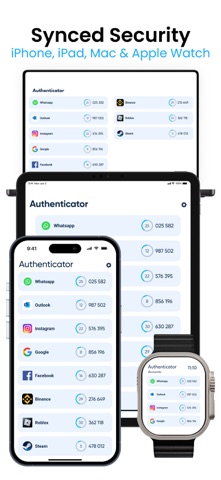
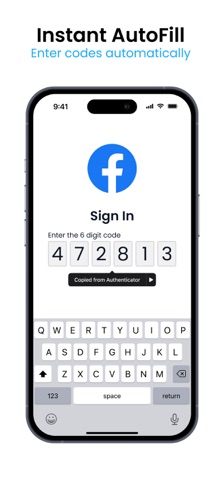
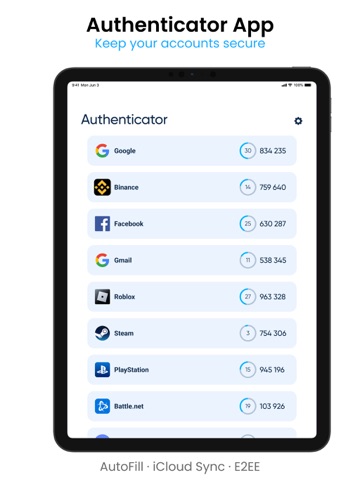
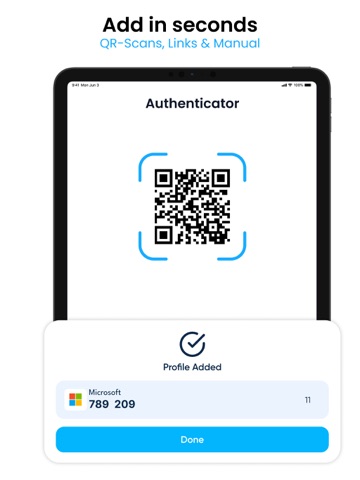
Authenticator App :2FA, MFA helps you protect your accounts with secure one-time codes. Add your services once, then use time-based codes (2FA / MFA) whenever you sign in, even if you’re offline. Scan a QR code or enter a setup key manually, and the app will start generating verification codes locally on your device. Use it for email, social networks, cloud services, finance apps and any other platform that supports two-factor authentication. When you switch phones or want extra safety, you can securely back up your data and restore it on a new device, keeping your 2FA setup under your control. KEY FEATURES Secure 2FA & MFA codes – generate time-based one-time passwords (TOTP) for accounts that support two-factor or multi-factor authentication, with all codes stored and calculated locally on your device. Simple account setup – add new services in seconds by scanning a QR code or entering a setup key manually, with clear instructions on what to do next. Encrypted backup & restore – create a secure backup of your authenticator data and restore it on a new device when you upgrade or switch phones (using strong encryption for protection). Privacy & app lock – protect access to the app itself with Face ID/Touch ID or a PIN code, and optionally hide codes until you tap to reveal them. Organized accounts – manage many accounts at once with clear labels, sorting and search, so the right code is always easy to find. Fast access when you need it – quickly copy a code with a single tap and switch back to the app or website you’re signing into, reducing friction during login. Please note: There are no free features available; a subscription is required to access all content and tools.Subscription Details: - Authenticator - Plus: $10.99 - Payment will be charged to your iTunes Account at confirmation of purchase. - Subscriptions automatically renew unless auto-renew is disabled at least 24 hours before the end of the current period. - The account will be charged for renewal within 24 hours prior to the end of the current period. - You can manage or turn off auto-renewal in your Account Settings after purchase. - Any unused portion of a free trial period will be forfeited upon purchasing a premium subscription. For additional information, please consult our privacy policy and terms of use. Privacy Policy: https://docs.google.com/document/d/1r0HWWBHQoQm6hUqfo0AX-WBbHnQXhR9ShbVVpYNpAwE/edit?usp=sharing Terms of Use: https://docs.google.com/document/d/1OT8QbIwDuRCb6tDBGxoob4shCV7Za_5PYy1roff4XJs/edit?usp=sharing
Latest release
What’s New
One-time password (OTP) generation — a quick and easy way to log in with extra security. Enhanced account protection — now you can set a PIN or password to access the app itself. Temporary 2FA deactivation option — if needed, temporarily disable two-factor authentication without deleting your accounts. Update the app to enjoy these new features and keep your data safer than ever!
Audience growth
Ratings growth
Baseline captured. Growth appears after the crawler observes a changed rating count.
Momentum comes from crawler snapshots for the tracked storefront. “Viral growth signal” means unusually fast recent rating gains; it is an indicator, not download data.
Price tracking
Price intelligence
First snapshot captured. The trend line starts after the next crawler price observation.
- First observed Aug 23, 2026 · 1:05 PM Free
Screenshots