About this app
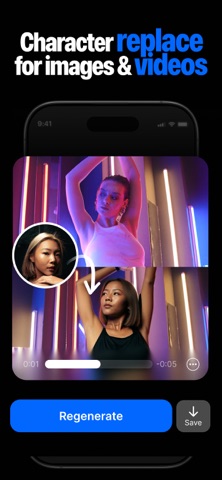
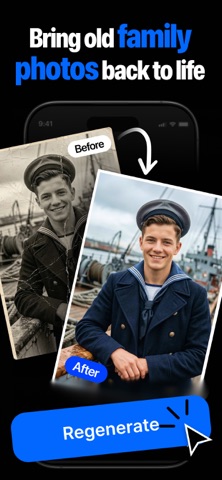
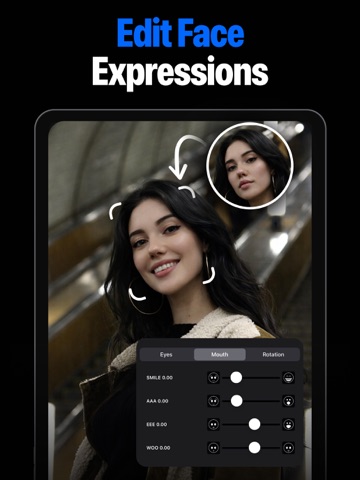
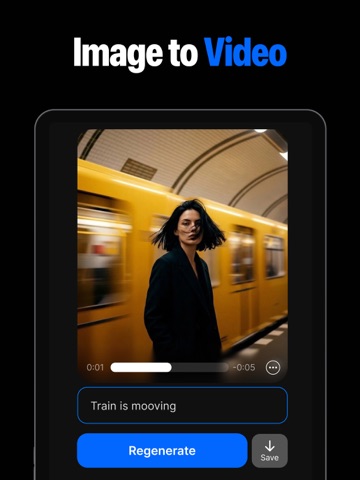
The group shot was perfect — except one pair of closed eyes. Blink Fixer helps you rescue photos you can't retake. Open closed eyes using a real reference photo, fix expressions, remove unwanted people, restore old pictures, and turn photos into AI videos. OPEN CLOSED EYES Choose the photo you want to fix and a reference photo where the person's eyes are open. Blink Fixer uses their real appearance to create a more natural result. FIX GROUP PHOTOS One person blinked, another looked away? Rescue the shot everyone else nailed — without asking anyone to pose again. REMOVE PEOPLE & OBJECTS Erase photobombers, strangers, distracting objects, and other unwanted elements from your pictures. FACE & EXPRESSION RETOUCH Fine-tune smiles, mouth shape, and head angle with simple controls — while keeping the person recognizable. RESTORE OLD PHOTOS Repair damaged or faded pictures, colorize black-and-white photos, and bring old memories back to life. CHARACTER REPLACEMENT Replace a person in your photos and videos using a reference image — pose, motion, and lighting matched automatically. AI PHOTO TO VIDEO Turn a still picture into a living video — with sound — in under a minute. Describe what happens and watch the moment come to life. Perfect for: • Group photos • Weddings • Family pictures • Graduations • Travel photos • Meet & greets • Selfies • Old family photos PRICING Free to download and try. Go Pro for unlimited edits and video generation — available weekly or yearly. Prices are shown in the app before you purchase. Subscriptions renew automatically unless cancelled at least 24 hours before the current period ends, and can be managed or cancelled anytime in your Apple Account settings. Whether someone blinked, a stranger walked into the background, or an old photo needs a second life, Blink Fixer gives you the tools to save the shot. Terms of Use (EULA): https://www.apple.com/legal/internet-services/itunes/dev/stdeula/ Privacy Policy: https://tryopeneyes.app/privacypolicy
Latest release
What’s New
- Better video workflow - Bug Fixes
Audience growth
Ratings growth
Baseline captured. Growth appears after the crawler observes a changed rating count.
Momentum comes from crawler snapshots for the tracked storefront. “Viral growth signal” means unusually fast recent rating gains; it is an indicator, not download data.
Price tracking
Price intelligence
First snapshot captured. The trend line starts after the next crawler price observation.
- First observed Aug 20, 2026 · 11:00 PM Free
Screenshots