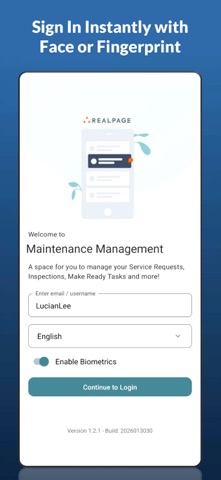
About this app
• Modern, Secure Login Instant, secure access with Face ID or fingerprint authentication. • AI‑Powered Assistance Get smart, context‑aware suggestions for technician steps and resolutions — boosting accuracy and saving valuable time. • Fast Service Request Management Create, update, and complete maintenance tasks in seconds with a clean, intuitive interface. • Smart Inspections Perform guided inspections with clear navigation, visual indicators, and quick creation of required service requests. • Streamlined Make Readies Assign, track, and complete unit turns with bulk actions designed for speed and team coordination. • Complete Asset Management Add, edit, track, and retire assets — all from your mobile device. • Instant Photo Capture Snap photos on the spot and attach them to any task for clear, visual documentation. • Real‑Time Translation Break language barriers with built‑in translation for multilingual teams and residents. • Built for Performance Enjoy fast load times, smooth navigation, and reliable offline‑friendly performance no matter where you’re working.
Latest release
What’s New
Due Diligence We have added Due Diligence to Maintenance Management Mobile. Click the More button and choose Due Diligence to create and perform due diligence inspections. To add Due Diligence to the Action Bar at the bottom of the screen, click the More menu->Menu Bar option
Audience growth
Ratings growth
Baseline captured. Growth appears after the crawler observes a changed rating count.
Momentum comes from crawler snapshots for the tracked storefront. “Viral growth signal” means unusually fast recent rating gains; it is an indicator, not download data.
Price tracking
Price intelligence
First snapshot captured. The trend line starts after the next crawler price observation.
- First observed Aug 15, 2026 · 9:18 PM Free
Screenshots