About this app
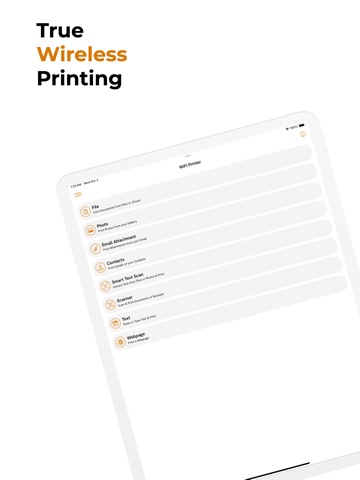
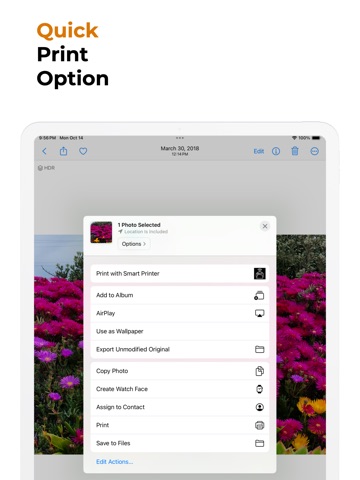
Smart Printer lets you print on any wireless printer including HP, Epson, Dell, Canon, Brother, or Samsung. No need to transfer files to your computer first and then print. Print Documents, Photos, PDFs, Files, Documents, Websites, Text, Scan & Print, Text Extract & Print, and More from 10,000+ wireless printers with Ease! Smart Printer is the fastest, easiest way to print from your iPhone or iPad. Designed for professionals and business owners, this app supports over 10,000 wifi enabled printers without the need for drivers. Whether you're printing documents, photos, receipts, or text from images using OCR, Smart Printer offers seamless printing from anywhere — no complicated setup required! Key Features: • Print Documents & Receipts: Quickly print PDFs, Word documents, or receipts directly from your Files app or cloud storage. • Scan & Print: Scan documents or photos using your device's camera and send them directly to your Wi-Fi printer. • Extract Text: Use advanced Optical Character Recognition (OCR) technology to extract text from images and print it instantly. • Print Photos: Easily print high-quality photos saved in your device or taken with your camera. • Print Contacts: Print out contact details from your device's Contacts app, perfect for backing up important information. • Advanced Printing Options: Customize your print job with options like paper size, orientation, number of copies, and more. Why Choose Smart Printer? • Supports 10,000+ Wi-Fi Printers: Works with almost any Wi-Fi-enabled printer brand—no need to download or install additional drivers. • Fast & Easy Setup: Get started in seconds—connect, select, and print. It's that simple. • Free Trial Available: Experience all the premium features of Smart Printer for free. Try OCR, scan-to-print, and more with no commitment. • Secure & Reliable: Print sensitive documents with confidence. Smart Printer ensures your data is secure and never shared with third parties. • Professional Grade: Ideal for business owners and professionals who need reliable, fast, and easy printing on the go. Smart Printer is designed to meet the printing needs of busy professionals and business owners. Whether you're in the office, working remotely, or need to print something quickly on the go, Smart Printer makes it easy and efficient. Terms of Use: https://www.apple.com/legal/internet-services/itunes/dev/stdeula/
Latest release
What’s New
- New features added - Bug fixes and performance enhancements
Audience growth
Ratings growth
Baseline captured. Growth appears after the crawler observes a changed rating count.
Momentum comes from crawler snapshots for the tracked storefront. “Viral growth signal” means unusually fast recent rating gains; it is an indicator, not download data.
Price tracking
Price intelligence
First snapshot captured. The trend line starts after the next crawler price observation.
- First observed Sep 4, 2026 · 3:43 AM Free
Screenshots