About this app
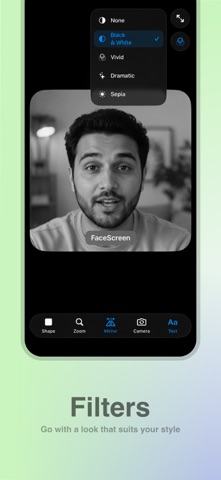
FaceScreen displays a floating live camera feed and an optional text label on top of everything else on your screen. Add a personal touch to your screen recordings, presentations, livestreams, and screen sharing sessions by keeping your face visible at all times. Use the built-in screen recorder on your phone or any third-party screen recording app. FaceScreen does not record, store, or process any video or personal data. It simply displays a customizable camera overlay on top of other apps and content. FEATURES Camera • Single camera mode: A sleek camera overlay that floats above all other apps. • Dual camera mode: Show both cameras at once with a draggable picture-in-picture front camera. • Customize everything—from the camera shape and position to zoom level, size, orientation, and more. • Zoom in when your camera is farther away for better visibility. • Works seamlessly over apps running in full-screen mode. • Drag and position the camera overlay anywhere on your screen. • Your settings, including position, size, and appearance, are automatically saved for the next time you use FaceScreen. Text • Showing your face is great, but if you're introducing yourself to a new audience, adding your name, website, or social media handle can make an even stronger impression. • Customize the text content and its position to match your preferences. GETTING STARTED • Install FaceScreen from the App Store • Open FaceScreen and customize the camera view to your liking • Leave FaceScreen running and switch to another app to display the floating camera view • To hide the camera view, simply close FaceScreen USE CASES • Video Reactions • Tutorials & How-To Videos • App Demos • Presentations • Screen Recordings • Screen Sharing • Livestreams • Online Teaching • Personal Branding CONTACT • Website: facescreenapp.com • X: @softal_io or @rampatra_ EXTRAS • FAQ: facescreenapp.com/faq • Privacy Policy: facescreenapp.com/privacy CREDITS • Lucas Fischer
Latest release
What’s New
• New dual camera mode to show both front and back camera simultaneously.
Audience growth
Ratings growth
Baseline captured. Growth appears after the crawler observes a changed rating count.
Momentum comes from crawler snapshots for the tracked storefront. “Viral growth signal” means unusually fast recent rating gains; it is an indicator, not download data.
Price tracking
Price intelligence
First snapshot captured. The trend line starts after the next crawler price observation.
- First observed Aug 19, 2026 · 9:02 AM $5.99
Screenshots