About this app
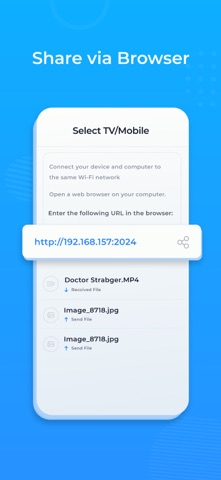
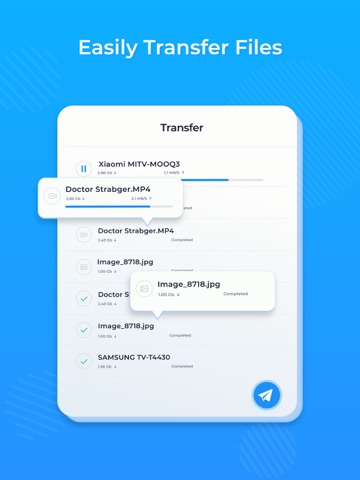
Send files to Android TV - File share app is an innovative file sharing app designed to make it easy to transfer files from your phone or iPad to your Android TV. With this app, you can share files of any size with just a few taps, no cables, or additional hardware required. Whether you want to watch your favorite movie or share photos with your friends and family, File share has got you covered. This app is packed with advanced features that make file sharing a breeze. It supports all file formats, including photos, videos, music, and documents. The app uses Wi-Fi to transfer files, which means you can send large files quickly and easily, without any lag or delays. Steps to send file : - Install Send files to Android TV - File share app on mobile and Android TV both the devices. - Open app in mobile and select file which you want to share. - Now open app on Android TV to receive that file. - Select your Android TV name from devices list on mobile app. - You will receive files into your TV. One of the standout features of Send files to Android TV - File share is its intuitive user interface. It is designed to be easy to use, even for beginners. Simply select the file you want to share, choose your Android TV, and tap the send button. The app will take care of the rest, transferring your file to the TV in seconds. You can also view the transfer progress in real-time, so you know exactly when your file has been sent. Overall, File share is an essential app for anyone who wants to share files with their Android TV quickly and easily. It's packed with advanced features, easy to use, and supports all popular file formats. Download Send files to TV app today and start sharing your files!
Latest release
What’s New
- Enhanced photo and video loading for a smoother experience. - Various bug fixes and performance improvements to keep things running seamlessly.
Audience growth
Ratings growth
Baseline captured. Growth appears after the crawler observes a changed rating count.
Momentum comes from crawler snapshots for the tracked storefront. “Viral growth signal” means unusually fast recent rating gains; it is an indicator, not download data.
Price tracking
Price intelligence
- First observed Aug 13, 2026 · 4:24 AM Free
Screenshots