About this app
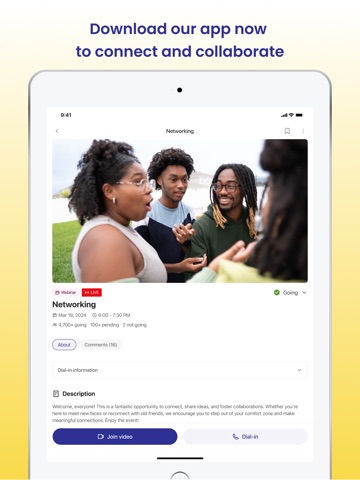
Hello Apple Reviewer, new screenshots have been uploaded. OBUDU Network: Building Communities, One Connection at a Time. We believe in the power of communities. Our platform enables individuals, groups, and organizations to build and grow their communities for learning, networking, partnering, providing services, staying connected, and more... With OBUDU Network, you can: - Build your own community tailored to your needs. - Engage with community members through posts, messaging, live events, programs, and services. - Keep your community organized with tools that streamline onboarding, resource sharing and engagement. Available on both mobile and web platforms, OBUDU Network helps you stay connected wherever you are. To test Givings and Apple Pay, please follow these steps: 1. Login to application (using testapple@dispostable.com account) 2. Go to "Giving" (bottom) tab 3. Go to "Browse" (top) tab 4. Tap "Test giving for Apple" item 5. Tap "Give" button 6. Use "Set custom amount" to change your amount to $1 7. Scroll down and fill "Street", "City", "ZIP code", "Country" (and "State", if appliable) fields 8. Tap "Continue" button 9. On the confirmation screen, tap "Continue to payment" button 10. Tap "ApplePay" button 11. Use ApplePay to pay the donation
Latest release
What’s New
Bug fixes and performance improvements
Audience growth
Ratings growth
Baseline captured. Growth appears after the crawler observes a changed rating count.
Momentum comes from crawler snapshots for the tracked storefront. “Viral growth signal” means unusually fast recent rating gains; it is an indicator, not download data.
Price tracking
Price intelligence
First snapshot captured. The trend line starts after the next crawler price observation.
- First observed Aug 18, 2026 · 7:30 PM Free
Screenshots