About this app
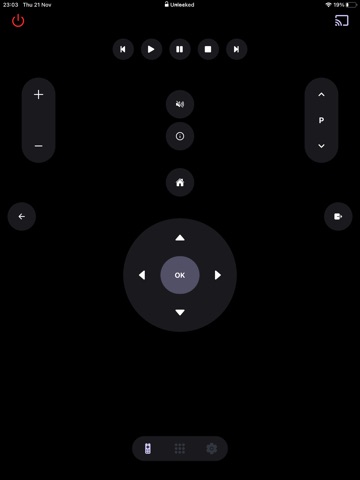
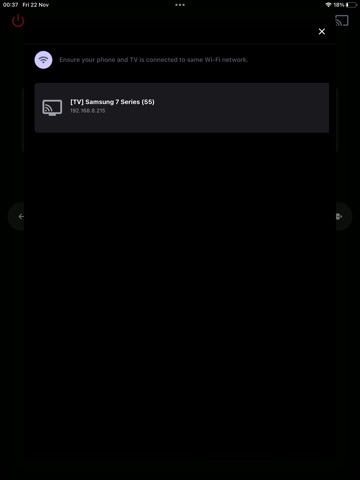
Transform your smartphone into a universal Samsung TV remote! Quick setup, seamless control, and an intuitive design. Download now for ultimate convenience! Samsung SmartTV+ Remote Control provides the perfect solution for remote controlling your Samsung TV. The sleek multi-button design ensures an intuitive, simple, and comfortable experience, giving you unparalleled control at your fingertips. We’re seamlessly transforming your smartphone into a powerful remote control! Watch your favourite TV shows and movies using our unique streaming buttons for Netflix, Prime Video, and YouTube. Samsung SmartTV+ Remote Control makes it easier to watch what you love, browse online, and access your favourite content. Let us simplify your TV experience with the new Samsung smart remote. This app is designed for users who want quick and easy access to control their Samsung TV from their mobile device. This app gives you complete control over your Samsung Smart TV, including all the features of your old physical remote control, plus some additional intelligent functions. To use Samsung SmartTV+ Remote Control, connect your mobile device and Smart TV to the same Wi-Fi network and start using it. BUTTONS: - Turn ON and OFF the TV - Home button - Return button - Change channels (next and previous) - Adjust volume (can also be controlled using phone side buttons) - Mute the sound (silent mode) - 4 favourite buttons (Up / Down / Left / Right + center "OK" button) - Play / Pause / Rewind / Fast Forward - Netflix, Amazon Prime, Youtube and more applications - Settings button With just a few taps, you can unleash the power of Samsung SmartTV+ Remote Control and take full control of your TV viewing. Simplify your TV control! Subscription Details: After your free trial, payment will be charged to your iTunes account at confirmation of purchase. Subscriptions will automatically renew unless canceled at least 24 hours before the end of the current period. Manage your subscription anytime through iTunes settings. Terms of use: https://sites.google.com/view/smarttv-plus-tv-remote/terms-and-conditions Privacy Policy: https://sites.google.com/view/smarttv-plus-tv-remote/privacy-and-policy Disclaimer: This app is NOT an official Samsung application, nor is it affiliated with any other trademark. We are not associated with Samsung Electronics in any way.
Latest release
What’s New
This version includes a minor bug fix when selecting a language.
Audience growth
Ratings growth
Baseline captured. Growth appears after the crawler observes a changed rating count.
Momentum comes from crawler snapshots for the tracked storefront. “Viral growth signal” means unusually fast recent rating gains; it is an indicator, not download data.
Price tracking
Price intelligence
First snapshot captured. The trend line starts after the next crawler price observation.
- First observed Aug 19, 2026 · 2:28 PM Free
Screenshots