About this app
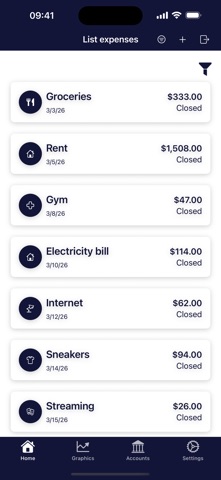
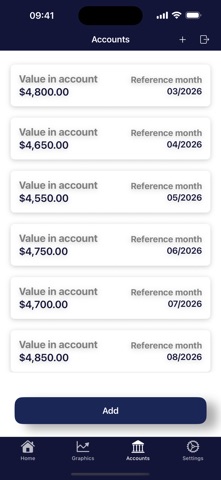
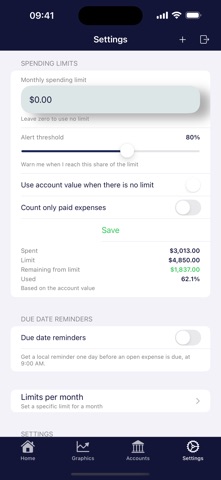
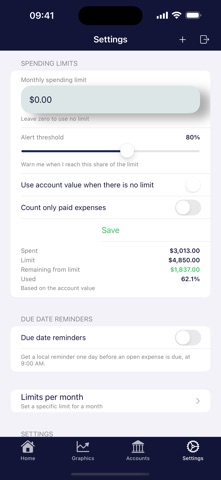
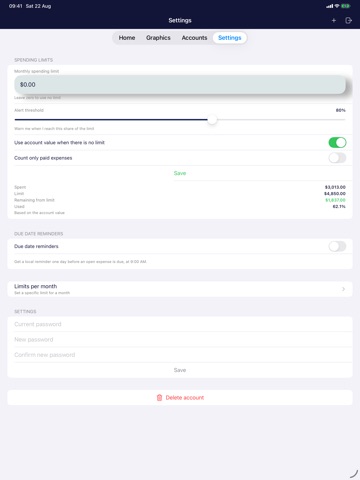
SpendAware turns your everyday expenses into a clear picture of your month, so you always know how much you have already spent and how much is still left. WHAT YOU CAN DO • Log an expense in seconds: title, amount, due date, category and status (open, paid or overdue). • Organise spending across twelve categories, from food and housing to transport, health, education, credit card, clothing and more. • Record how much you have available each month and compare it with what you actually spent. • Set a default monthly limit, or a specific limit for a single month, and choose the percentage at which you want to be warned. • Get a reminder the day before an open expense is due, at 9:00 AM. • Filter everything by period, status or category. UNDERSTAND YOUR MONEY AT A GLANCE • Current month summary: total spent, amount available, remaining balance and percentage used. • Six-month expense history with a running total. • Category breakdown showing which categories take the biggest share of your money. • Limit versus spent comparison, month by month. • Top categories and highest spending category, highlighted for you. YOUR DATA STAYS YOURS SpendAware has no ads, no trackers and no analytics. There is no account on our servers, because there are no servers. Everything is stored on your device and synced privately through your own iCloud account, so your numbers show up on every device signed in with your Apple Account. Available in English, Spanish and Portuguese, with amounts and dates always shown in your device's own regional format.
Latest release
What’s New
• Spending limits: set a default monthly limit, specific limits for individual months, and the alert threshold that fits you. • Due date reminders: get a notification the day before an open expense is due. • Redesigned charts: current month summary, six-month history with a running total, category breakdown and a limit versus spent comparison. • Amounts now always follow your device's region and currency. • More reliable dates in regions that use a non-Gregorian calendar. • Reviewed texts and translations in English, Spanish and Portuguese.
Audience growth
Ratings growth
Baseline captured. Growth appears after the crawler observes a changed rating count.
Momentum comes from crawler snapshots for the tracked storefront. “Viral growth signal” means unusually fast recent rating gains; it is an indicator, not download data.
Price tracking
Price intelligence
First snapshot captured. The trend line starts after the next crawler price observation.
- First observed Aug 27, 2026 · 6:27 AM $0.99
Screenshots