About this app
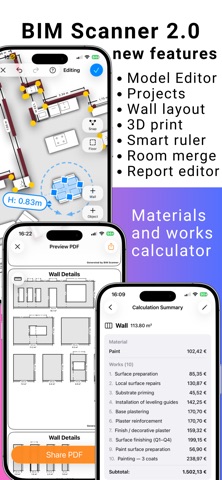
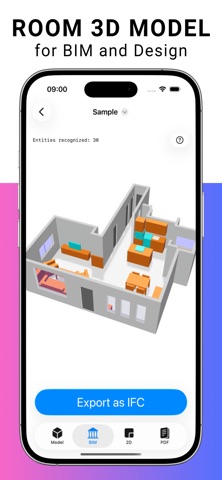
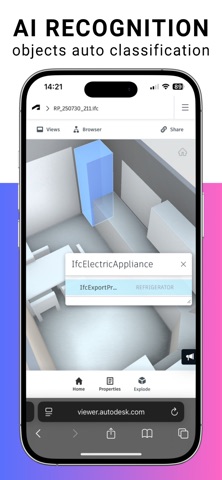
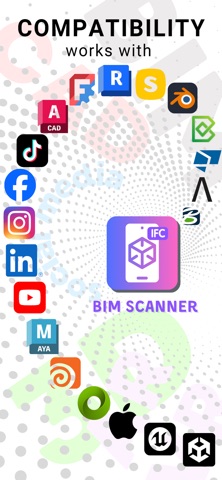
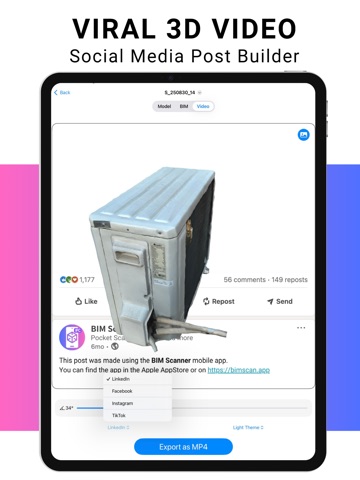
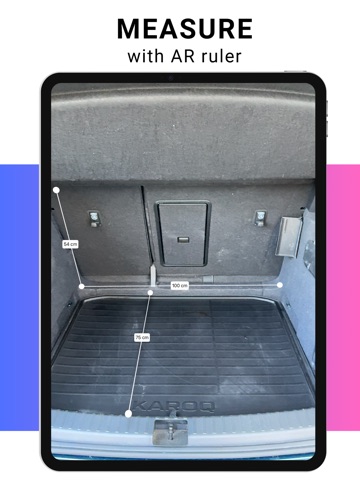
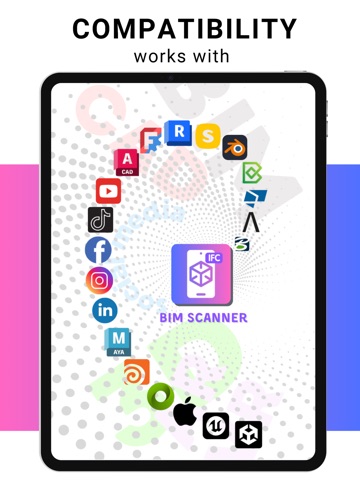
BIM Scanner turns room or object into a BIM-ready 3D models. AI recognition, work and cost estimation, AI instantly detects walls, doors, windows, openings, furniture, appliances, and sanitary units, delivering a precise 2D plan, 3D model, or parametric BIM. With BIM Scanner, a 100 m² Scan-to-BIM workflow takes just a few minutes and costs less than one cent, instead of several days of work and up to $1,500 using traditional laser scanning and manual modeling. You can export fixed-layout Room Plans as PDF, ensuring plans and drawings are shared exactly as intended. Export in DXF, PDF, USD, or IFC (4.0 and 4.3) — fully compatible with AutoCAD, Revit, Solibri, Blender, Allplan, Tekla, and more. AI-Powered AR Measuring Use an intelligent AR ruler powered by AI. It detects edges, corners, and architectural boundaries to assist with fast and accurate measurements directly in your space. This feature is available in the free version. Create BIM Components 4–5× Faster Reduce the time to build BIM library elements by up to 80%. Scan furniture, products, or small architectural details and get accurate geometry, classification, and attributes — ready for your BIM workflow. Export components in USD, IFC, or STL, with improved DXF support for CAD-based pipelines. Advanced Modeling and Estimation (Pro) Take your scans further with powerful new tools. You can edit room geometry after scanning, including walls, openings, and dimensions, without rescanning. Wall elevations are generated automatically, and areas and volumes are calculated with correct handling of doors and windows. The system calculates finishing works and materials for walls and floors, including cost estimation based on structured logic aligned with DIN, VDI, GOST, US, and other standards. Work lists and estimates remain fully editable. A report builder allows you to generate structured documentation. Multi-room merging lets you combine several rooms and scan sessions into a single model or full floor. A new project system helps organize scans, models, measurements, plans, estimates, and images in one place, with shared variables such as resource prices and metadata. Unlimited Galleries — Free for Everyone Store unlimited models and measurements, even in the free version. Scan rooms, objects, and take AR-based measurements without worrying about limits. Preview social media post creation directly in the app. Unlock All Access Weekly, monthly, or annual subscription. A 7-day free trial is available with the annual plan. Includes full Room Scan exports (DXF, PDF, USD, IFC), full Object Scan exports (USD, IFC, STL, MP4), IFC classification and attribute editing, IFC 4.0 export support for legacy BIM software, IFC 4.3 support, advanced modeling and estimation tools, and the full Viral Social Media Post Builder. Privacy First 100% data processing on the device. No cloud uploads. No external dependencies. Requirements iPhone 12 Pro or newer iPad Pro with LiDAR iOS 18 or newer Terms of Use: https://bimscan.app/terms-and-conditions/ From rooms to projects. From scans to decisions. BIM Scanner is ready.
Latest release
What’s New
• Added Apple Pencil support in RoomPlan editing. • Fixed USD and STL export — removed dimension label artifacts. • Fixed MP4 video export for object scans. • Fixed several crashes.
Audience growth
Ratings growth
Baseline captured. Growth appears after the crawler observes a changed rating count.
Momentum comes from crawler snapshots for the tracked storefront. “Viral growth signal” means unusually fast recent rating gains; it is an indicator, not download data.
Price tracking
Price intelligence
First snapshot captured. The trend line starts after the next crawler price observation.
- First observed Aug 10, 2026 · 5:55 PM Free
Screenshots