About this app
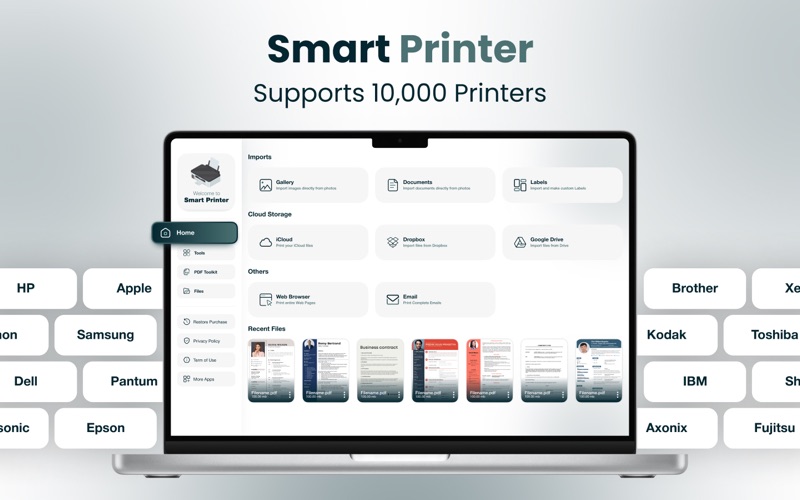
Smart Wireless Printer App for Mac – Print, Scan & Convert Files with Ease Experience effortless printing, scanning, and PDF management directly from your Mac. Connect seamlessly to HP, Canon, Epson, and other wireless printers using AirPrint. Scan documents, convert files, and manage your paperwork—all from one powerful and intuitive Mac app. Compatible with Leading Printer Brands: HP, Canon, Epson, Brother, and other AirPrint-enabled wireless models. Print Any File, Anytime, from Your Mac Easily print documents, spreadsheets, images, and more using AirPrint on macOS. . Supports PDF, Word, Excel, PowerPoint, and image formats . Customize layout, paper size, orientation, and page range . Print high-resolution photos or professional documents in seconds . Works seamlessly with wireless printers – no additional setup needed Advanced Document Scanning – Clear, Fast, and Reliable Turn your Mac into a powerful document scanner with webcam or connected device integration. Digitize anything from contracts to receipts in just a few clicks. . Scan documents, notes, photos, and more . Specialized scan modes for: - ID cards - Books - Passports . Smart cropping, auto-edge detection, and noise reduction . Save as PDF or image files . Print or share instantly after scanning Smart PDF Converter and File Organizer Manage your documents like a pro. Convert, merge, and organize PDFs with ease. . Convert Word, Excel, PowerPoint, and image files into PDF . Merge multiple files into one seamless PDF . Reorder, rename, and organize pages and documents . Direct scan-to-PDF functionality for instant sharing or printing . All-in-one PDF toolkit built into your Mac – no need for extra software Clean, Intuitive macOS Interface Built for the Mac experience with a focus on productivity and ease: . Sleek, native macOS design . Drag-and-drop functionality . Toolbar and sidebar navigation for quick access . Designed for everyone – from students to professionals Ideal for Home, School, or Office Use Whether you’re printing assignments, scanning financial documents, or archiving personal memories—Smart Wireless Printer App is built to fit every need. For: Students • Teachers • Home Users • Office Professionals • Business Owners Private, Secure, and Fully Local We respect your privacy. All scans and files stay on your Mac—nothing is uploaded or stored remotely. Get Started Today – Make Printing and Scanning Smarter Join thousands of Mac users who have streamlined their document workflows. Download Smart Wireless Printer App and take control of your print and scan tasks with powerful tools and zero hassle. . No wires . No delays . Just smart, secure, and simple productivity Privacy Policy https://janbark.com/privacy_policy.html Terms of Use https://janbark.com/ios-apps/ios_products_tos.html
Latest release
What’s New
Supports airprint, HP Smart Printer App, Canon Printer, Epson Printer All PDF Tools: PDF Document Converter Print Photos & Documents Via Wifi PDF Document Converter Print Email, Contacts & text from your clipboard Bug fixes Printer for Mac Improve Performance
Audience growth
Ratings growth
Baseline captured. Growth appears after the crawler observes a changed rating count.
Momentum comes from crawler snapshots for the tracked storefront. “Viral growth signal” means unusually fast recent rating gains; it is an indicator, not download data.
Price tracking
Price intelligence
First snapshot captured. The trend line starts after the next crawler price observation.
- First observed Aug 11, 2026 · 2:10 AM Free
Screenshots