About this app
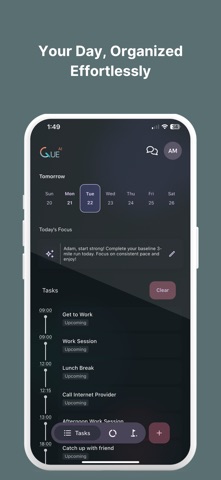
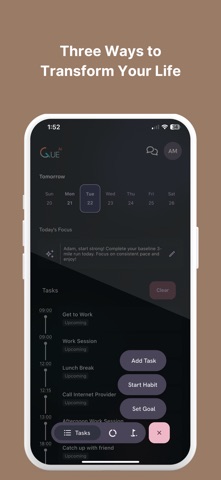
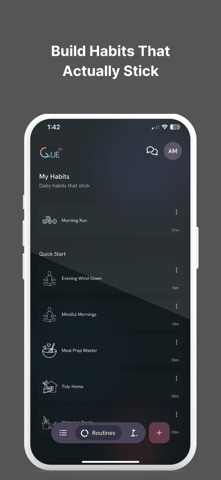
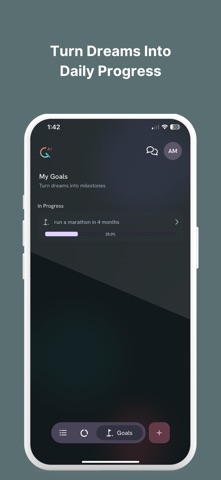
Cue is your personal AI assistant for work and life. Instead of juggling separate apps for tasks, planning, reminders, routines, email, meetings, and follow-ups, Cue brings everything into one assistant that helps you stay on top of your day. Just type or talk naturally: • Plan my day around my meetings • Turn important messages into tasks • Help me reset my week • Fit in the gym, groceries, and dinner tonight • Remind me to follow up tomorrow Cue turns chaos into clear next steps. What you can do with Cue: Plan your day in seconds Describe what you need to do, and Cue builds a clear, realistic plan. Stay on top of work and life Manage tasks, reminders, routines, habits, and personal goals in one place. Turn messages into action Connect your tools and turn important items into tasks, follow-ups, and plans. Work around your calendar and meetings Use Cue alongside your schedule so tasks fit around your real day. Get help where work happens Use Cue across connected inboxes, calendars, and work chat tools. Replan when life changes Running late or had a messy day? Cue helps you adjust and keep moving. Build routines that fit real life Use habits, programs, journaling, focus sessions, and guided structure to stay consistent. Get support without overwhelm Cue gives you structure, guidance, and accountability without the friction of rigid systems. Why people use Cue: • One assistant instead of many disconnected apps • Natural language input by voice or text • Flexible planning that adapts when life changes • Clear daily structure without overwhelm • Helpful support across both work and personal life Great for busy professionals, students, parents, ADHD minds, and anyone who wants more clarity, structure, and follow-through without switching between a dozen apps. If you want one assistant to help you plan, organize, and stay on top of everything, Cue is for you. Terms of Use (EULA) https://www.apple.com/legal/internet-services/itunes/dev/stdeula/ Privacy Policy https://cueai.app/privacy
Latest release
What’s New
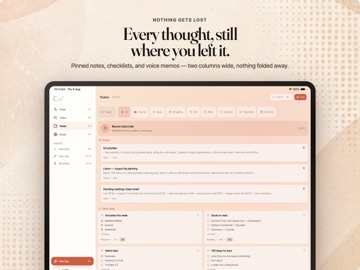
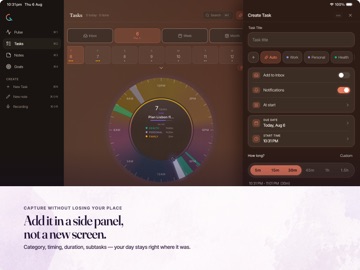
- Cue now comes to desktop with a spacious adaptive layout designed for planning, notes, goals, and everyday work. - Larger screens now feature a dedicated sidebar, focused inspectors, keyboard shortcuts, and useful two-column views. - Tablet layouts now support landscape orientation, giving tasks, notes, goals, and Pulse more room. - Share complete recording transcripts, including longer conversations, without shortened previews. - Bug fixes and performance improvements.
Audience growth
Ratings growth
Baseline captured. Growth appears after the crawler observes a changed rating count.
Momentum comes from crawler snapshots for the tracked storefront. “Viral growth signal” means unusually fast recent rating gains; it is an indicator, not download data.
Price tracking
Price intelligence
First snapshot captured. The trend line starts after the next crawler price observation.
- First observed Aug 19, 2026 · 7:44 PM Free
Screenshots