About this app
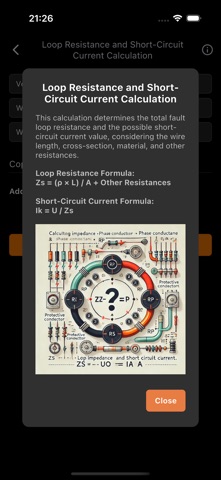
Electrical Calculations and Guides This application is a comprehensive tool for electrical calculations, guides, and creating work orders and quotations. With its user-friendly interface, you can perform quick and accurate calculations and customize your documents. Calculations The app includes various electrical calculations: • Voltage Calculation – Determines voltage based on different parameters. • Current Calculation – Calculates current using Ohm’s law and other formulas. • Power and Resistance Calculations – Computes electrical power and resistance based on voltage, current, and other factors. • Cable Sizing – Determines the appropriate cable cross-section based on load and other parameters. • Energy Calculation – Calculates daily, monthly, and yearly energy consumption and costs. • Loop Resistance and Short-Circuit Current Calculation – Determines the total fault loop resistance and the possible short-circuit current. • Resonant Circuit Impedance Calculation – Calculates impedance considering inductance, capacitance, and resistance. • Fault Loop Impedance Calculation – Determines the required impedance for proper tripping of the protective device. Guides The app includes useful guides and theoretical explanations related to electrical systems: • Ohm’s Law – The fundamental relationship between voltage, current, and resistance. • Kirchhoff’s Law – Describes the distribution of current and voltage in circuits. • Touch Protection – Covers the basics of electrical safety and protection against electric shock. • Residual Current Device (RCD) – Explains protection mechanisms against overcurrent or electric shock. • Circuit Breakers – Provides details on the use and operation of low-voltage circuit breakers. Work Order and Quotation Creation The app allows you to create and edit work orders and quotations: • Fully Customizable Documents – Add and edit notes and items. • PDF Generation – The completed work order is automatically saved to the downloads folder. • Quick Access – Tap the cell to instantly open the PDF preview. • Sending and Importing Documents • Documents can now be sent via email as a JSON file to another device running the same app. On the receiving device, the JSON file can be imported into the app, automatically inserting the received document so it becomes available for editing. Settings The app offers customization options and purchasing features: • Print Field Configuration – Customize fields displayed in the PDF document. • Enter Your Own Details – Set up issuer information for generated documents. • Ad Removal – Remove ads with a one-time purchase. • Backup and Restore • The Settings menu now includes a backup and restore option. This allows you to export all saved documents and settings into a single file and later restore them from that file. This is useful when switching to a new device or recovering lost data. • These features ensure secure document management and seamless data transfer between devices. With this app, you can quickly and easily perform electrical calculations, manage documents, and access essential reference materials.
Latest release
What’s New
• Bug fixes and performance improvements
Audience growth
Ratings growth
Baseline captured. Growth appears after the crawler observes a changed rating count.
Momentum comes from crawler snapshots for the tracked storefront. “Viral growth signal” means unusually fast recent rating gains; it is an indicator, not download data.
Price tracking
Price intelligence
First snapshot captured. The trend line starts after the next crawler price observation.
- First observed Aug 19, 2026 · 10:15 AM Free
Screenshots