About this app
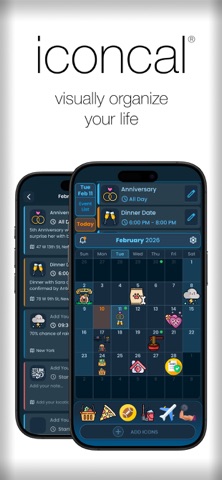
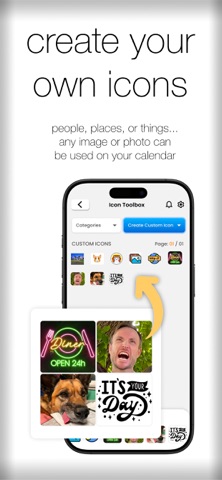
Visually organize your life! IconCal is a smart and intuitive calendar app that helps you manage your schedule visually. IconCal is built with an object-based interface that allows you to schedule your events in seconds with the flick of a finger. No more opening 4 different menus to start entering event details. No more hunting through a list of spreadsheet-like blocks. With IconCal, you can use a variety of icons to represent your events. Quickly & easily see your whole schedule with a single glance. An icon is worth a thousand words! Highlighted features: • The ability to create your own icons! Choose from your device’s photo library, or even take a picture with your device's camera. • A massive built-in icon library. Use the Icon Toolbox to quickly sort through dozens of categories to choose your favorite icons. • Easy and intuitive drag-and-drop functionality. Simply drag an icon from the Icon Tray onto any day. • Quick at-a-glance month view that beautifully displays your easy-to-recognize icons throughout the whole month. • Includes powerful event creation features for those already familiar with other calendar apps. Including: event titles, time, location, recurring/repeating events, alerts, and more. • Calendar syncing with either Apple or Google calendars. Terms of Use: https://www.apple.com/legal/internet-services/itunes/dev/stdeula/
Latest release
What’s New
* Two-way sync with Apple Calendar using native EventKit APIs * Calendar sync controls – choose which calendars you want to sync * Improved handling of recurring events * Timezone-related fixes for more accurate event timing * Payment-related bug fixes and logic improvements * Better emoji saving and restoration, including custom emojis * Smoother scrolling and overall performance improvements * Multiple UI/UX refinements and stability fixes This update focuses on making calendar syncing more reliable, performance smoother, and the overall experience more polished.
Audience growth
Ratings growth
Baseline captured. Growth appears after the crawler observes a changed rating count.
Momentum comes from crawler snapshots for the tracked storefront. “Viral growth signal” means unusually fast recent rating gains; it is an indicator, not download data.
Price tracking
Price intelligence
First snapshot captured. The trend line starts after the next crawler price observation.
- First observed Sep 4, 2026 · 7:23 AM Free
Screenshots