About this app
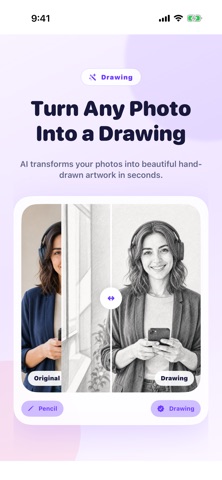
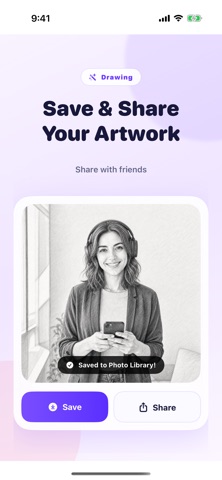
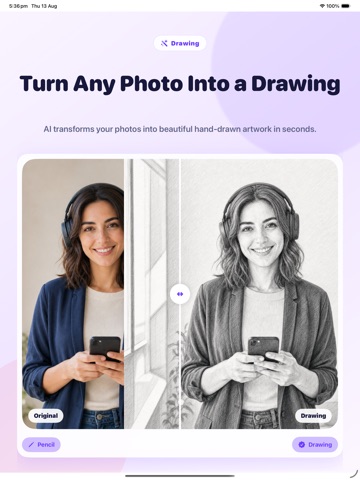
Easily turn photos into drawings and create stunning pencil sketch artwork in just one tap with our advanced photo to drawing app. Whether you want to convert picture portraits into realistic pencil sketches, detailed line art, or creative artistic renders, this app provides powerful art conversion filters right at your fingertips. Transforming your photo collection into hand-drawn style masterworks has never been faster or easier. Designed for artists, social media creators, and everyday photographers, our app brings professional drawing effects directly to your mobile device. Key Features: - Instant Photo to Sketch Conversion: Turn any picture into a realistic pencil sketch or detailed outline art with a single touch. - Diverse Artistic Styles: Choose from classic pencil sketch, charcoal, ink line art, color pencil, and detailed picture outline filters. - Precision Effect Controls: Adjust stroke intensity, contrast, shading, and line density to craft the exact aesthetic you desire. - High-Resolution Export: Save your transformed pencil drawing creations in full HD quality without losing crisp lines or subtle textures. - Fast Batch Editing: Apply drawing filters seamlessly across multiple pictures to create consistent photo art galleries. - Simple One-Tap Sharing: Post your hand-drawn style portraits directly to social media networks or send them to friends. Why You'll Love It: - Personalized Gifts: Create unique hand-drawn style portraits of loved ones, pets, and favorite memories for custom prints and framing. - Social Media Content: Stand out on digital platforms with distinctive pencil sketch visual content and eye-catching avatar pictures. - Creative Inspiration: Practice tracing and outline techniques by converting real-world photography into clear drawing reference guides. - Effortless Editing: Enjoy a clean, user-friendly interface that lets you turn pictures into art without complicated design software. Download Photo to Drawing today and start transforming your favorite pictures into timeless pencil sketch artwork in seconds! Subscription Information: – App usage is limited and needs a subscription for unlimited access. – Subscription Length: Weekly and Yearly – Free Trial: If offered, it will automatically convert to a paid subscription unless canceled. – Payment: Charged to your Apple ID account at confirmation of purchase. – Auto-Renewal: Automatically renews unless canceled at least 24 hours before the end of the current period. – Renewal Charge: Your account will be charged within 24 hours before the end of the current period, based on the selected plan. – Managing Subscription: Users can manage subscriptions and turn off auto-renewal in Account Settings on the App Store. – Free Trial Policy: Any unused portion of a free trial will be forfeited upon purchasing a subscription. Terms of Use: https://www.apple.com/legal/internet-services/itunes/dev/stdeula/ Privacy Policy: https://hyperignitionsystems.com/privacy-policy
Latest release
What’s New
Improves apps performance
Audience growth
Ratings growth
Baseline captured. Growth appears after the crawler observes a changed rating count.
Momentum comes from crawler snapshots for the tracked storefront. “Viral growth signal” means unusually fast recent rating gains; it is an indicator, not download data.
Price tracking
Price intelligence
- First observed Aug 24, 2026 · 3:16 AM Free
Screenshots