About this app
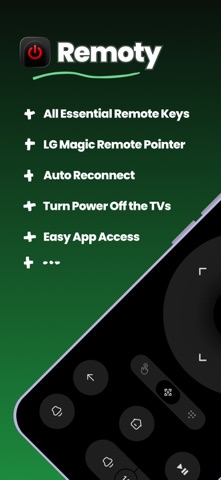
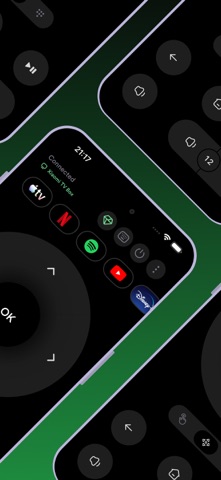
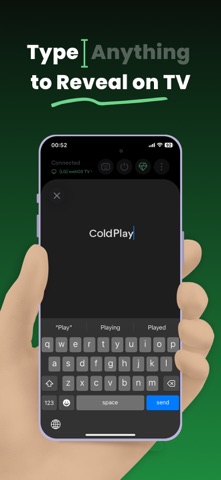
Remoty turns your iPhone into a fast, modern remote for compatible smart TVs on your home Wi-Fi. Discover nearby TVs, pair locally, and control the screen you use every day with a touchpad, D-Pad, keyboard input, volume controls, app shortcuts, and pointer-style control where supported. Core Features - Fast Local Discovery Find compatible TVs on your Wi-Fi network and pair in a few taps. - Touchpad and D-Pad Controls Swipe through menus with a smooth touchpad or switch to precise arrow controls when you need them. - Full TV Keyboard Type searches, passwords, login codes, and longer text from your iPhone instead of using slow on-screen typing. - Pointer-Style Control Use pointer-style movement on supported TVs, including motion-based cursor control when available. - App Shortcuts From Your TV Organize quick shortcuts for apps discovered from your connected TV, so the apps you use most are easier to open. - Volume, Mute, and Power Controls Control everyday essentials and see volume or mute state when supported by your TV. - Previous TV Reconnect Quickly return to a previously paired TV, with improved reconnect and wake behavior where supported. - Lock Screen Launch Control Open Remoty faster from supported iOS Lock Screen and system control surfaces. Privacy First Remoty discovers and controls TVs over your local network. TV discovery data and saved connection details stay on your device and are not sent to our servers. If Local Network access is disabled, Remoty cannot discover or control your TV. Compatibility Remoty works with compatible smart TVs that support local network remote control. Compatibility, pairing, keyboard input, app launching, volume state, pointer control, and wake behavior may vary by model, region, software version, and TV settings. Remoty is independent and is not affiliated with, endorsed by, or sponsored by any TV manufacturer, platform provider, or entertainment service. Take control of your TV from the phone already in your hand. Terms of Use: https://www.apple.com/legal/internet-services/itunes/dev/stdeula/
Latest release
What’s New
Control your TV faster with new Home Screen widgets and Lock Screen controls. This update adds quick access to volume, mute, back, home, settings, and play/pause, improves app shortcut icons and caching, and makes TV connections, keyboard input, and Smart TV controls more reliable.
Audience growth
Ratings growth
Baseline captured. Growth appears after the crawler observes a changed rating count.
Momentum comes from crawler snapshots for the tracked storefront. “Viral growth signal” means unusually fast recent rating gains; it is an indicator, not download data.
Price tracking
Price intelligence
First snapshot captured. The trend line starts after the next crawler price observation.
- First observed Aug 8, 2026 · 1:11 PM Free
Screenshots