About this app
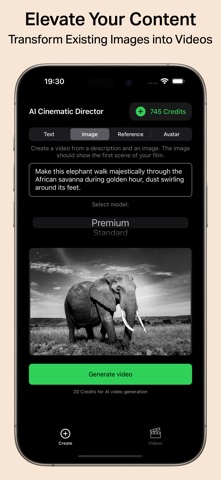
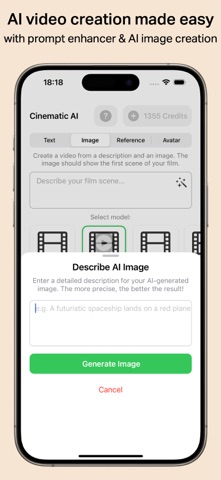
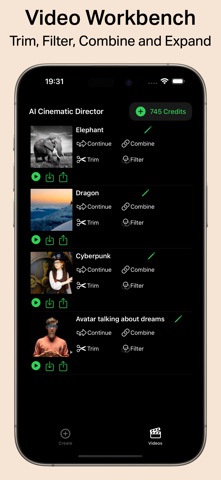
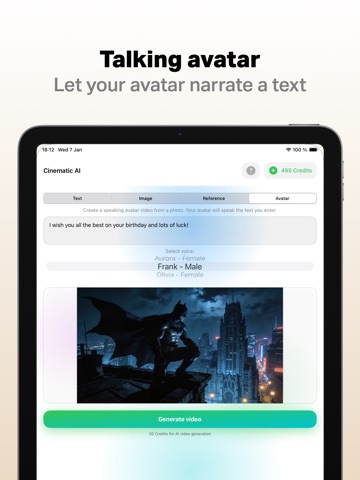
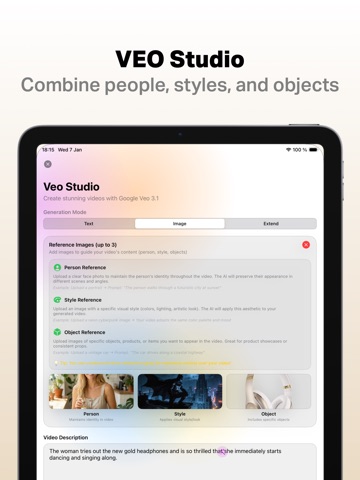
Create AI videos with text, images, or your face – the ultimate AI Video Generator for iPhone and iPad! MOVIE MODE Describe your movie idea – AI splits it into individual scenes that you can freely edit. Choose your model, automatically generate dialogue in your language, and the app merges everything into a cohesive movie. From concept to finished short film in one step! TEXT TO VIDEO Describe your scene – AI creates your video. Simply enter text, get an AI video. IMAGE TO VIDEO Bring photos to life! Use images as a starting scene or integrate objects directly into the video. Perfect for photo animation. GRAPHICS TO VIDEO Turn graphics and illustrations into animated AI videos. TALKING AVATARS Make faces talk! Ideal for presentations, TikTok, Instagram Reels, and YouTube Shorts. INSERT PEOPLE INTO VIDEO Upload a photo – that person stars in your AI movie. AI VIDEOS WITH SOUND Videos with sound effects, music, and dialogue – generated automatically. MOTION CONTROL Take full control of video movement – customize camera angles and subject motion for the exact look you want. EXTEND VIDEOS Seamlessly continue any video – AI picks up right where your clip ends, turning short scenes into longer movies. EDIT VIDEO WITH AI Modify existing videos using AI – adjust scenes, styles, or details with simple text prompts without starting over. AUTOMATIC PROMPT ENHANCEMENT AI optimizes your text prompts for the best possible video results. VEO 3 STUDIO Integrate people, objects, and styles using reference images. With VEO 3.1 Pro: extend videos up to 20x – max length 2:30 minutes! SORA 2 STORYBOARD Create multi-scene videos up to 25 seconds with SORA 2 Pro. 31+ VIDEO TEMPLATES Categories: Cinematic, Ads, Commercial, Social Media, Viral. Create viral videos instantly! AI ASSISTANT The built-in assistant guides you step-by-step through video creation. No experience needed. INCLUDED AI IMAGE GENERATOR Create the perfect starting image directly inside the app. VIDEO WORKBENCH Trim, filter, and combine your AI videos. HIGH-RESOLUTION QUALITY Experience crystal-clear AI video quality. Become the director of your own AI movies today! ALL PLATFORMS Use Cinematic across all your devices – iPhone, iPad, and Mac! Terms of Use (EULA): https://cinematic-ai.com/index.php?action=nutzungsbedingungen
Latest release
What’s New
New: Feature Film Mode Describe your movie idea — AI breaks it down into scenes that you can freely edit. Choose your model (PixVerse, Seedance, or Grok), automatically generate dialogue in your language, and the app stitches everything into a cohesive film. From idea to finished short film in one step. - Live progress on Lock Screen & Dynamic Island - Smooth audio crossfades between scenes - Improved prompt quality for all models
Audience growth
Ratings growth
Baseline captured. Growth appears after the crawler observes a changed rating count.
Momentum comes from crawler snapshots for the tracked storefront. “Viral growth signal” means unusually fast recent rating gains; it is an indicator, not download data.
Price tracking
Price intelligence
- First observed Aug 8, 2026 · 1:35 PM Free
Screenshots