About this app
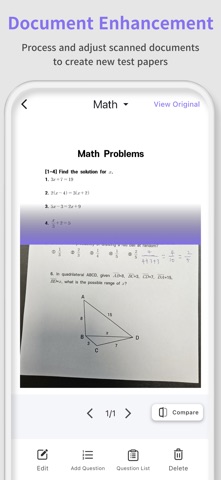
Quiz Scanner is an innovative study companion that takes your learning experience to the next level. # Key Features * Test Paper Scanning: Take a photo of your test paper with your smartphone, and our AI will instantly recognize and categorize each question. * Subject-Based Categorization: Automatically sorts problems by subject—Math, English, Science, etc.—for more organized learning. * AI-Powered Explanations: Offers clear, detailed explanations for every question, making it easy to understand. * Wrong Answer Notes: Save incorrect answers separately for focused review and revision. # Who Should Use It? * Students seeking efficient, self-directed study * Anyone wanting detailed explanations of problem-solving methods * Test-takers needing help with preparation and review * Teachers and parents looking to support students' learning With Quiz Scanner, you can get expert explanations anytime, anywhere. Download it now and start learning smarter! * Terms of Use: https://www.apple.com/legal/internet-services/itunes/dev/stdeula
Latest release
What’s New
▣ App Stabilization • Fixed bugs!
Audience growth
Ratings growth
Baseline captured. Growth appears after the crawler observes a changed rating count.
Momentum comes from crawler snapshots for the tracked storefront. “Viral growth signal” means unusually fast recent rating gains; it is an indicator, not download data.
Price tracking
Price intelligence
First snapshot captured. The trend line starts after the next crawler price observation.
- First observed Sep 4, 2026 · 4:59 AM Free
Screenshots