About this app
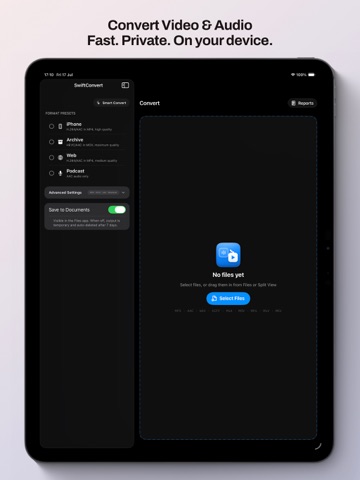
Convert videos and audio with AI intelligence built into every step. Introducing SwiftConvert 2.4—where professional video tools meet on-device AI. Transcribe audio to subtitles automatically. Create smooth 60fps video from standard framerate sources. Reduce visual noise with intelligent filtering. All processed privately on your device, never in the cloud. What's new in v2.4: • Automatic subtitle transcription — Convert audio to subtitled video in one step. Say goodbye to manual captioning workflows • Smart frame interpolation — Create smooth, cinematic 60fps video from 24/30fps sources. Perfect for creating slow-motion effects and smooth playback • Intelligent noise reduction — Temporal filtering removes grain and artifacts while preserving fine detail and sharpness • AI preset recommendations — Smarter format suggestions tailored to your content type and quality goals On iPhone & iPad: Tap "Select Files," let AI guide your choices, and convert anywhere. Clean interface, real-time progress, complete control. The powerful converter that fits in your pocket. Why SwiftConvert: • 100% on-device processing — No cloud, no uploads, no privacy concerns. Your videos never leave your device • AI-assisted decisions — Smart presets and recommendations take the guesswork out of format selection • Batch conversions — Process multiple files at once and cancel anytime if you change your mind • Audio track & subtitle selection — Pick which audio tracks and subtitles to keep for MKV files • Converted Files library — Organized, searchable access to all your completed conversions Supports all common formats: MP4, MOV, MKV, WAV, M4A, MP3, and more. Works beautifully on any iPhone or iPad size. Advanced features: • Super Resolution Scaler — Enhance video quality and restore fine details • Custom presets — Save your favorite format combinations for one-tap reuse • Share conversions — Quick access to send your finished files anywhere
Latest release
What’s New
Version 2.4: AI comes to SwiftConvert v2.4 brings intelligent features that make conversion smarter, faster, and more creative: • Automatic subtitle transcription — Convert audio directly to subtitled video. Our on-device AI listens to your audio and generates accurate subtitles in seconds • Smart frame interpolation — Create smooth 60fps video from standard 24/30fps sources. Ideal for cinematic effects, slow-motion, and buttery-smooth playback on high-refresh displays • Temporal noise reduction — Intelligently filter grain, artifacts, and visual noise while preserving sharpness and detail. Makes old or lower-quality footage look polished • AI preset recommendations — Format suggestions now adapt to your content. Need subtitles? iOS helps you pick the right codec. Uploading to the web? We recommend the optimal bitrate Plus in this release: • Enhanced super-resolution — Faster, smarter upscaling for 4K quality • Better MKV support — Improved compatibility with more MKV video codecs • Refined animations — Smoother transitions and more delightful interactions • Performance optimizations — Faster conversions on all devices All processing happens on your device—offline, private, and under your complete control.
Audience growth
Ratings growth
Baseline captured. Growth appears after the crawler observes a changed rating count.
Momentum comes from crawler snapshots for the tracked storefront. “Viral growth signal” means unusually fast recent rating gains; it is an indicator, not download data.
Price tracking
Price intelligence
First snapshot captured. The trend line starts after the next crawler price observation.
- First observed Sep 3, 2026 · 10:30 PM Free
Screenshots