About this app
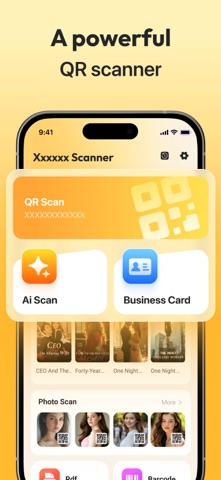
Thank you for using our product We strive to provide you with better product services Why choose us: 1. We provide you with QR scanning capability, where you can use our products to scan QR codes and identify their contents 2. In addition, we also provide you with exquisite QR templates, and you can create exquisite QR styles through our products 3. You have provided us with the ability to create barcodes, and you can also create line codes through our products 4. Your creation QR record will be generated by our products, and you can view it through the record page Permission Description: If you want to perform QR scanning when using our product, you need to authorize our camera permission to use our QR scanning function We will strive to continuously optimize and iterate our products in order to provide you with a more comprehensive experience
Latest release
What’s New
Optimize user experience. Fix some known issues. Add new features.
Audience growth
Ratings growth
Baseline captured. Growth appears after the crawler observes a changed rating count.
Momentum comes from crawler snapshots for the tracked storefront. “Viral growth signal” means unusually fast recent rating gains; it is an indicator, not download data.
Price tracking
Price intelligence
First snapshot captured. The trend line starts after the next crawler price observation.
- First observed Aug 19, 2026 · 9:40 AM Free
Screenshots