About this app
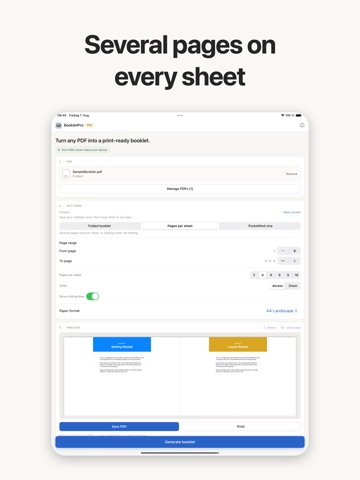
Turn any PDF into a booklet you can print, fold and staple. BookletPro reorders the pages so that a stack of printed sheets, folded down the middle, reads from front to back. That reordering — imposition — is the part that is easy to get wrong by hand and impossible to fix afterwards. Everything happens on your device. Your PDF is never uploaded, and there is no account to create before you can use it. THREE WAYS TO LAY OUT A PAGE • Folded booklet — two pages per side, ordered for the fold. The classic saddle-stitched pamphlet. • Pages per sheet — several pages tiled per sheet in reading order, with optional cutting lines. No folding. • PocketMod zine — eight pages on one side of one sheet. One cut, a few folds, and you have a pocket-sized booklet. Free, including the printed fold and cut guides. NO DUPLEX PRINTER? STILL FINE Most home printers cannot print both sides. BookletPro splits the job into two passes and walks you through it: print the fronts, turn the stack over, print the backs. It then asks how the second pass came out and remembers the answer for that printer, because whether a stack comes back upside down depends on the printer, not on the booklet. PAPER A4, A3, A5, B5, US Letter, Legal and Tabloid, portrait or landscape — plus any size you type in, in millimetres, centimetres, inches or points. If it fits in your printer, it can hold a booklet. SAVE THE SETUP A parish newsletter, a recipe zine and a concert programme each want different settings. Save them once as a preset and get them back in two taps — paper, layout mode and all. FREE, AND WHAT PRO ADDS Free covers a complete booklet: up to 32 pages from one PDF, every paper size, the back cover option, the PocketMod zine, the duplex helper and printing. PRO adds: • Combining up to 10 PDFs into one booklet • A binding margin kept clear at the fold • Printed page numbers • Choosing a page range from the source One purchase covers iPhone, iPad and Mac. PRIVACY Your PDF stays on your device. Nothing is uploaded, nothing is stored on a server, and analytics is off until you say otherwise — and can be turned back off at any time.
Latest release
What’s New
• A booklet's page order looks shuffled on screen, and that is correct — the result screen now says so, with a diagram of which pages share a sheet, folded away until you want it • PRO is now available monthly, alongside the yearly plan and the one-time lifetime purchase • About shows whether you have PRO and offers it — and after a reinstall, a purchase you already made can be restored there • Cancelling a print or a save is treated as what it is: changing your mind, not an error
Audience growth
Ratings growth
Baseline captured. Growth appears after the crawler observes a changed rating count.
Momentum comes from crawler snapshots for the tracked storefront. “Viral growth signal” means unusually fast recent rating gains; it is an indicator, not download data.
Price tracking
Price intelligence
First snapshot captured. The trend line starts after the next crawler price observation.
- First observed Sep 19, 2026 · 8:10 AM Free
Screenshots