About this app
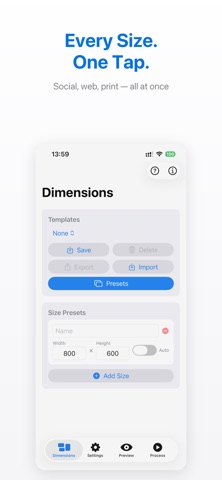
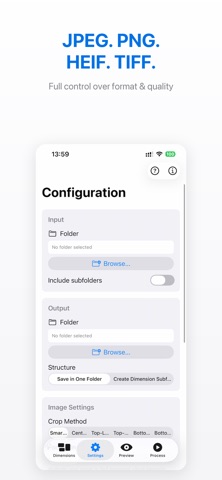
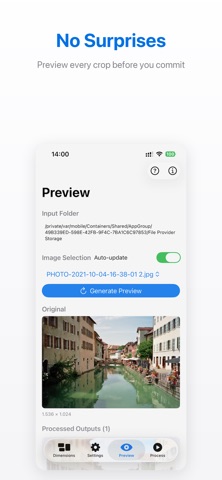
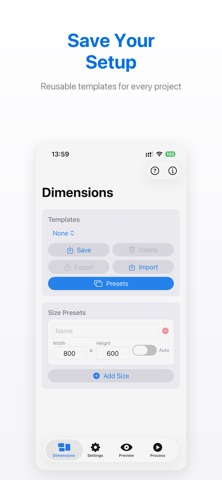
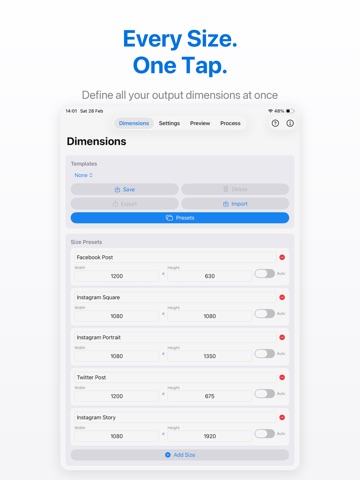
Transform hundreds of photos in seconds with Bulk Cropper, the fast, focused batch image processor for Mac, iPad, and iPhone. Whether you're a photographer preparing client deliverables, a designer exporting assets, or an e-commerce seller resizing product photos, Bulk Cropper gets it done in a fraction of the time. BATCH PROCESSING POWER Drop a folder of images and process them all at once. Bulk Cropper handles hundreds of photos with multi-core optimization, outputting every size you need in one go. SMART CROPPING Powered by Apple's Vision framework, Smart Crop automatically detects faces and key subjects to keep the important parts of your image in frame, even at extreme aspect ratios. Choose from Smart, Center, or Top-Left crop modes. MULTIPLE DIMENSIONS AT ONCE Define as many output sizes as you need. Social media headers, product thumbnails, website banners, process them all simultaneously from a single source image. FLEXIBLE OUTPUT Export as JPEG, PNG, HEIF, or TIFF with adjustable quality. Customize filenames with templates using placeholders like {filename}, {width}, {height}, and {dimensionname}. AI AUTO-ORIENT Automatically correct image orientation using face detection, text recognition, and horizon analysis. Your photos come out right-side-up, every time. TEMPLATES Save your processing configurations as templates. Import and export them to share setups across devices or with your team. WORKS EVERYWHERE Same powerful engine on Mac, iPad, and iPhone. A native interface designed for each platform — sidebar navigation on Mac, tab-based UI on iOS. PREVIEW BEFORE PROCESSING See exactly how your images will look with current settings before committing to a full batch run. No surprises. Available as a one-time purchase with no subscription required.
Latest release
What’s New
Bug fixes :-)
Audience growth
Ratings growth
Baseline captured. Growth appears after the crawler observes a changed rating count.
Momentum comes from crawler snapshots for the tracked storefront. “Viral growth signal” means unusually fast recent rating gains; it is an indicator, not download data.
Price tracking
Price intelligence
First snapshot captured. The trend line starts after the next crawler price observation.
- First observed Aug 19, 2026 · 5:14 AM Free
Screenshots