About this app
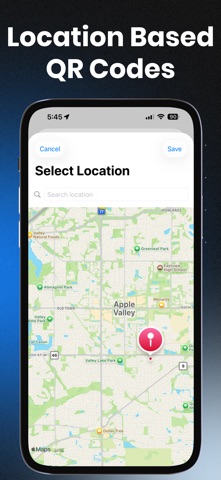
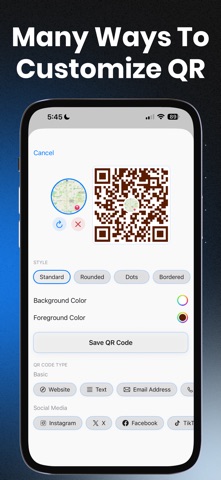
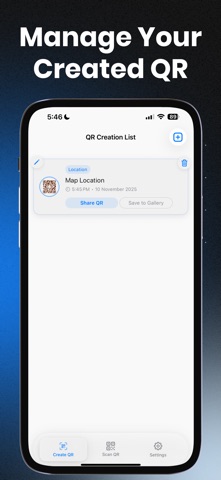
QRForge is your all-in-one QR code app — built for speed, privacy, and full control. Scan, create, and customize QR codes effortlessly with stylish designs, organized history, and smart features. Whether you're sharing social profiles, business info, Wi-Fi access, or working on personal projects, QRForge gives you the tools to scan and generate QR codes in style. Key Features: • Scan instantly – Fast and reliable QR code scanning with smart content recognition. • Create custom QR codes – Add colors of the foreground and background or change the shape. • Export as SVG Vector format. • Smart adaptive UI – Quick actions based on QR type (Wi-Fi, links, contacts, text, and more). • Organized history – Categorize your scanned codes for easy access and re-use. • One-tap sharing – Save or share your QR codes with a single tap. • Private by design – Clean interface and zero data tracking.
Latest release
What’s New
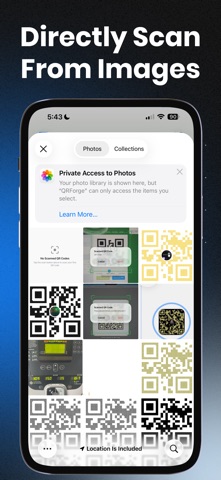
What's new in QRForge - QR Scanner Generator App: • Redesigned app, not a bright neon red, now more calm blueish colors with "Liquid Glass" type of bottom tab bar. • Exporting created QR Codes to SVG. • Improved scanning engine. • More designing options with different shapes. Soon more be added! • Scanning directly from photo gallery. • Adding small logo / photo over generated QR codes. • Scanning QR directly from your photo gallery.
Audience growth
Ratings growth
Baseline captured. Growth appears after the crawler observes a changed rating count.
Momentum comes from crawler snapshots for the tracked storefront. “Viral growth signal” means unusually fast recent rating gains; it is an indicator, not download data.
Price tracking
Price intelligence
First snapshot captured. The trend line starts after the next crawler price observation.
- First observed Sep 30, 2026 · 10:32 AM Free
Screenshots